17
EDIT RECORDINGS
While the “Edit recordings” option is highlighted, using the 3/4” buttons come to the list of recordings
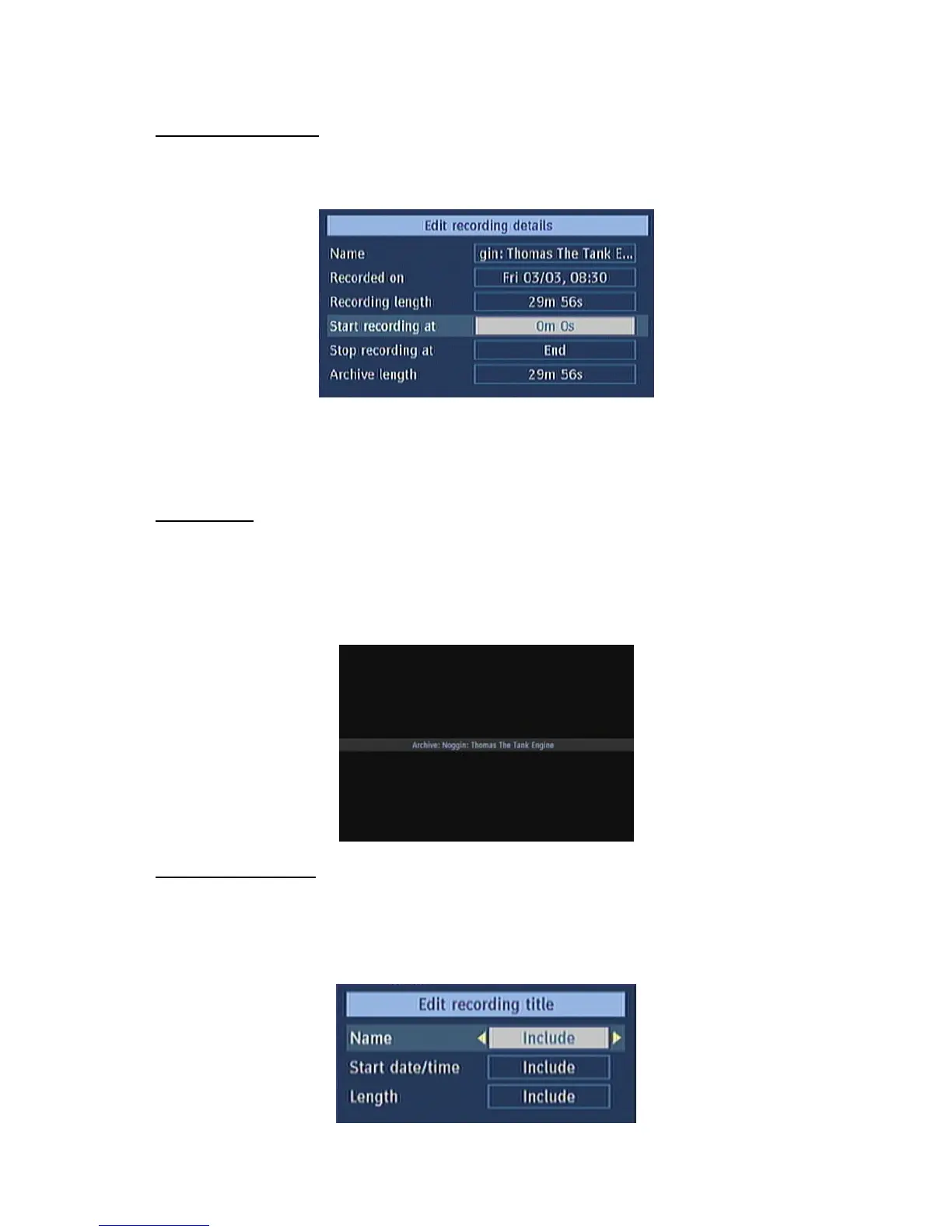
on the right of this menu. Select one of them, which should be archived and press the OK button. You
will come to the following menu:
Here, only the “Start recording at” and “ Stop recording at” options are active. If you have alrady
separated recording, you could select any chapter to begin with the archiving and stop it. If it is not
separated in chapters, the beginning and ending time of the recording will be automatically the
beginning and ending time of the archiving.
MAIN TITLE
If you want to display a main title, select “Include” (To do this, use the “3/4” buttons). If not, select
“Skip”. By selecting “Skip”, the options below will be disabled.
TEXT: After you select the “Include” option in the “Main Title” menu, you could edit the main title.
DURATION: Set the duration of the appeareance of the main title on the screen.
RECORDING TITLE
If you want to display a recording title, select “Include” (To do this, use the “3/4” buttons). If not,
select “Skip”. By selecting “Skip”, the options below will be disabled. While archiving, you could decide
to show the names of the saved recordings on the scren.
DISPLAY: In this option, you could decide, which of the following items should be displayed in the
recording title: “Name”, “Start date/time” and “Length”.



 To Next Page