PRODUCT GUIDE
Keypad | Basic & Advanced
2
Locks are shipped with factory default settings (operates by pressing
= `
). Each lock must be setup to operate with a Programming
Key and Manager Key(s).
Express Register Manager Keys
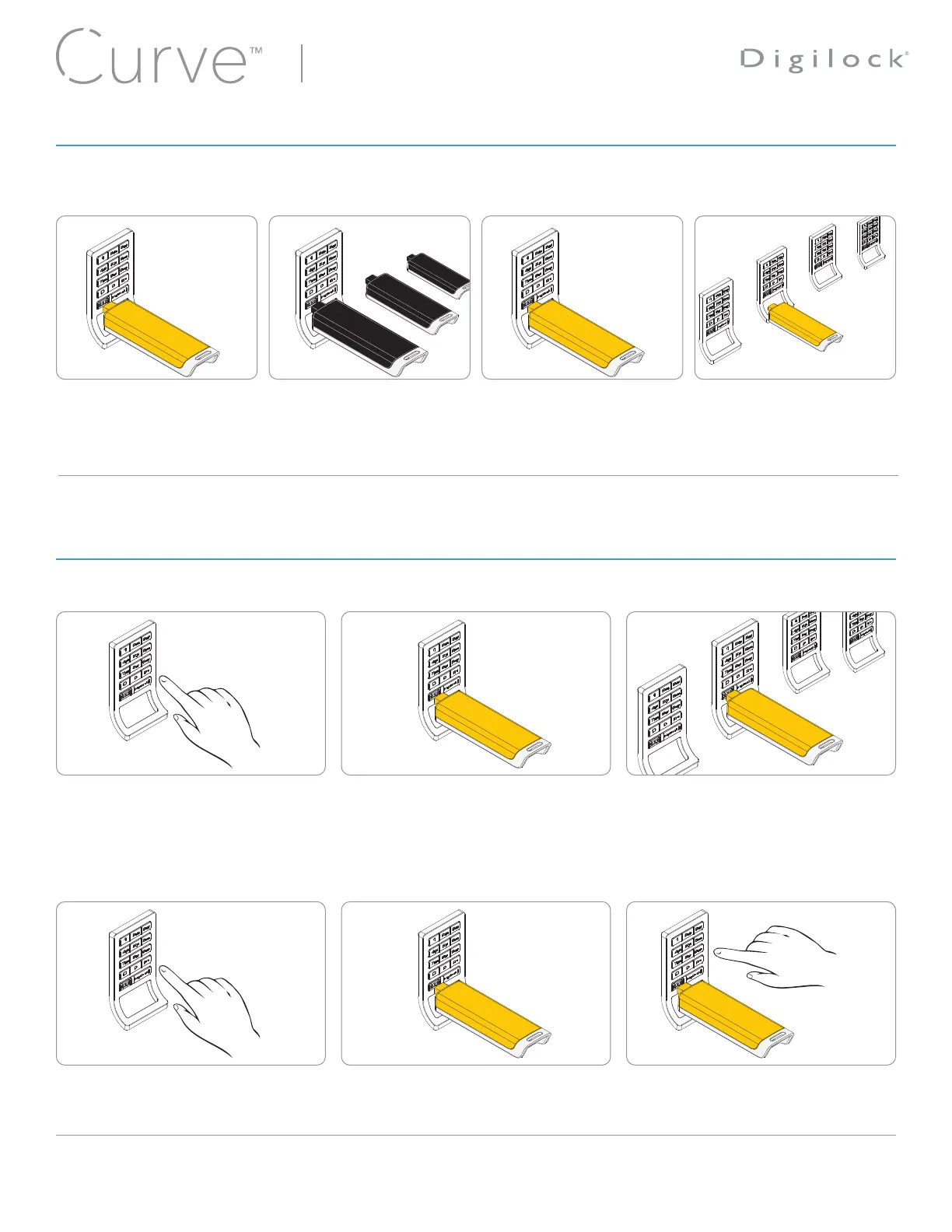
The Programming Key can quickly program multiple locks to operate with the same Manager Keys.
Go to a lock already programmed to
operate with the Manager Keys.
Press
= ` 61 `
.
The LED will turn on.
Insert the Programming Key.
A two-tone beep will be heard and the
LED will turn off.
Insert the Programming Key to program
each lock to operate with the same
Manager Keys.
Two sets of two-tone beeps will be heard
and the LED will flash twice to indicate
successful programming.
End express registration mode.*
Go to any programmed lock.
Press
= `
.
Then insert the Programming Key. To return the bolt to the original position,
press
= `
, then insert the Programming
Key.
*The Programming Key will continue to function in express registration mode until it is used to operate a lock.
Insert the Programming Key.
A two-tone beep will be heard
and the LED will turn on.
Insert one Manager Key at a
time.
A two-tone beep will be
heard for each Manager Key
programmed.
Insert the Programming Key.
A two-tone beep will be heard
and the LED will turn off.
Repeat previous steps for each
lock or follow instructions to
Express Register Manager Keys
to setup all locks.
4
1
6
3
5
2
1 32
4
SETUP
PROGRAMMING INSTRUCTIONS










 To Next Page