PRODUCT GUIDE
Keypad | Basic & Advanced
8
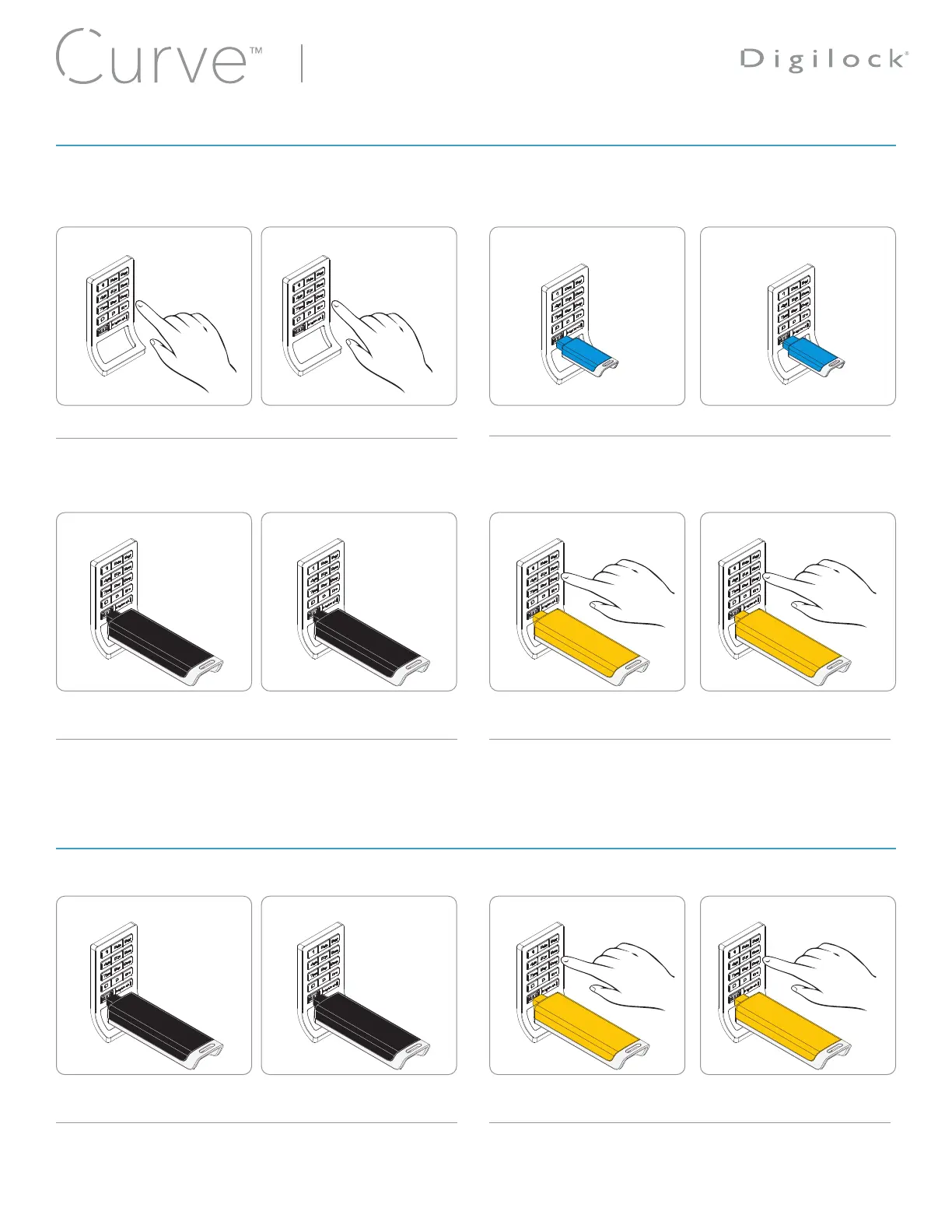
In shared use functionality, the user enters any 4-7 digit User Code or inserts any User Key to lock and the same User Code or User Key
to unlock. Once unlocked, the lock is available for a different user.
*After 3 consecutive incorrect user code entries, the keypad will be disabled for 1 minute (Sleep Mode).
** If a valid Manager Key or the Programming Key is used to relock, the previous user credential will continue to operate the lock.
Operate with a User Code Operate with a User Key
Operate with a Manager Key Operate with the Programming Key
Override with a Manager Key Override with the Programming Key
Lock
Lock
Unlock
Lock
Lock
Unlock
Unlock
Unlock
Relock
Unlock
Unlock
Relock
Press
=
[any 4-7 digit code]
`
. Press
=
[the same 4-7 digit code]
`
.*
Insert a valid Manager Key Insert a valid Manager Key
Insert a valid Manager Key Insert a valid Manager Key**
Insert User Key. Insert the same User Key.
Press
= `
, then insert the
Programming Key.
Press
= `
, then insert the
Programming Key.
Press
= `
, then insert the
Programming Key.
Press
= `
, then insert the
Programming Key.**
OPERATING INSTRUCTIONS - IN SHARED USE FUNCTIONALITY
OVERRIDING INSTRUCTIONS - IN SHARED USE FUNCTIONALITY










 To Next Page