DG-WA3000N User Manual
89
3-2 Firmware Upgrade
If there is a new firmware of this wireless Access Point, you can upload it which will
change the firmware to the new one, to get extra functions or problem fix.
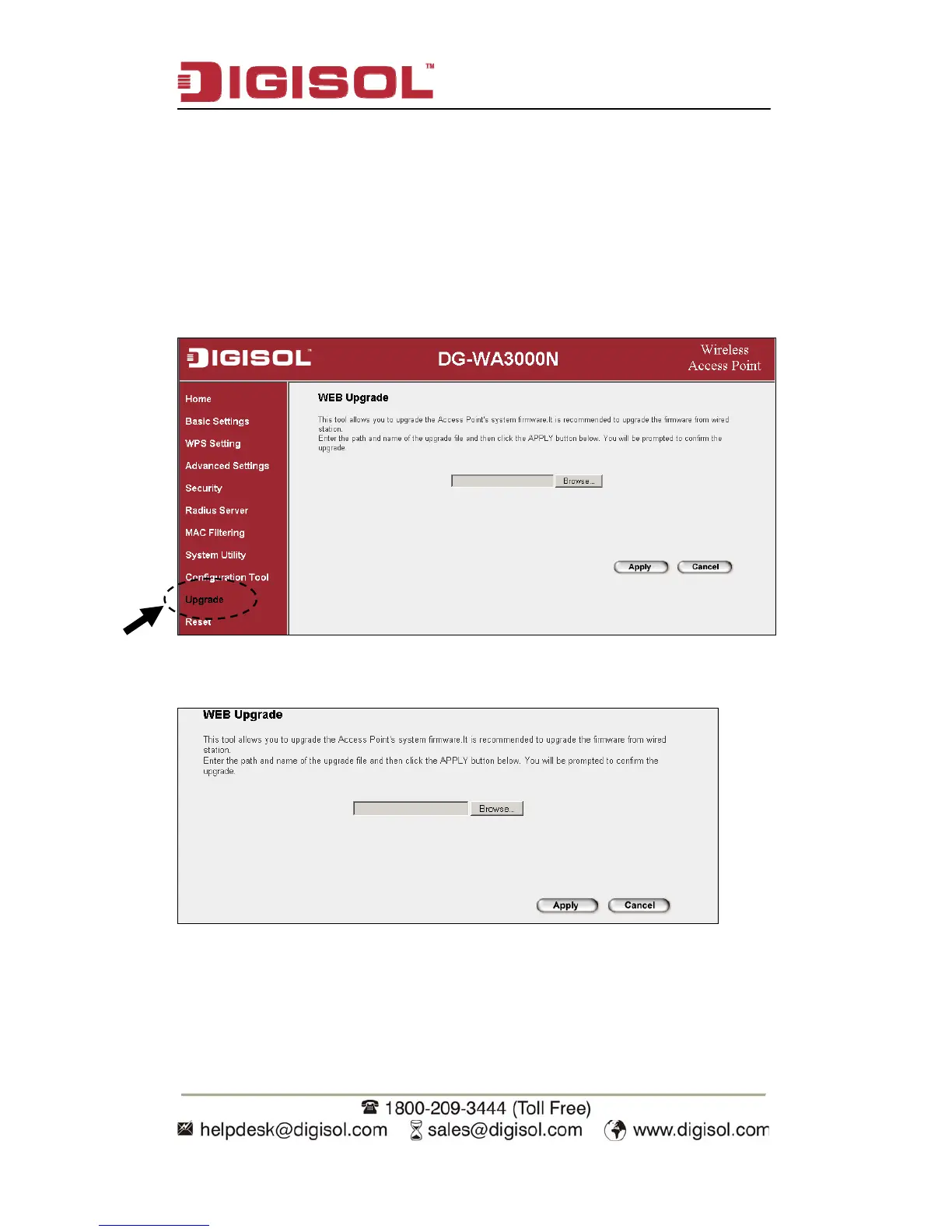
To perform firmware upgrade, please click ‘Upgrade’ on the left of web
management interface
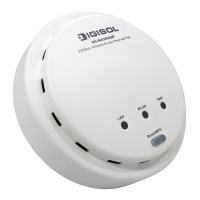
The following message will be displayed:
Click ‘Browse…’ button first, you’ll be prompted to provide the filename of
firmware upgrade file. Please download the latest firmware file from our website,
and use it to upgrade your Access Point.


 To Next Page