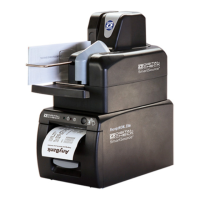
Digital Check ReceiptNOWTM Elite User Manual
- 2 -
Safety Instruction
Before operating the printer, please read following notes carefully.
Safety warnings
Warning: Do not touch the cutter on the printer
Warning: Do not touch the print head and its surrounding parts during or just after printing as
the print head is hot.
Attention
1) Printer should be placed on a flat and stable location.
2) Leave enough space for operation and maintenance around the printer.
3) Printer should be kept away from water. Avoid direct sunlight, strong lights and heat.
4) Avoid getting water or conductive material (such as metal) into the interior of the printer. If this happens,
disconnect the printer power supply immediately.
5) Do not allow condensation to form on the surface of the printer. If condensation has formed, the printer
should not be powered on until the condensation has been eliminated.
6) Do not use or store printer in conditions of high temperature, high humidity or serious pollution.
7) Avoid placing printer in a location that would subject it to vibration or impact.
8) Connect the printer power cable to a properly grounded socket. Avoid using the same socket with large
motors or other devices which could cause power supply voltage fluctuations.
9) If the printer is not to be used for an extended period, unplug the power cord..
10) Do not attempt to print without paper. This will seriously damage the print rollers and thermal print
head.
11) To ensure print quality and product life use the recommended paper or the same quality of paper.
12) Turn off the printer power switch before plugging in or unplugging power or interface cables. Failure to
do so may damage the printer.
13) To maximize the life of the printer, it is suggested that users use the lowest level print density that
meets print quality requirements.
14) There are no user-serviceable parts inside the printer. Disassembling the printer will void the
warranty.
15) Keep this manual for reference.


 To Next Page