Page -23Digital Dream Mach3 Motion Controller EC500 User’s Manual
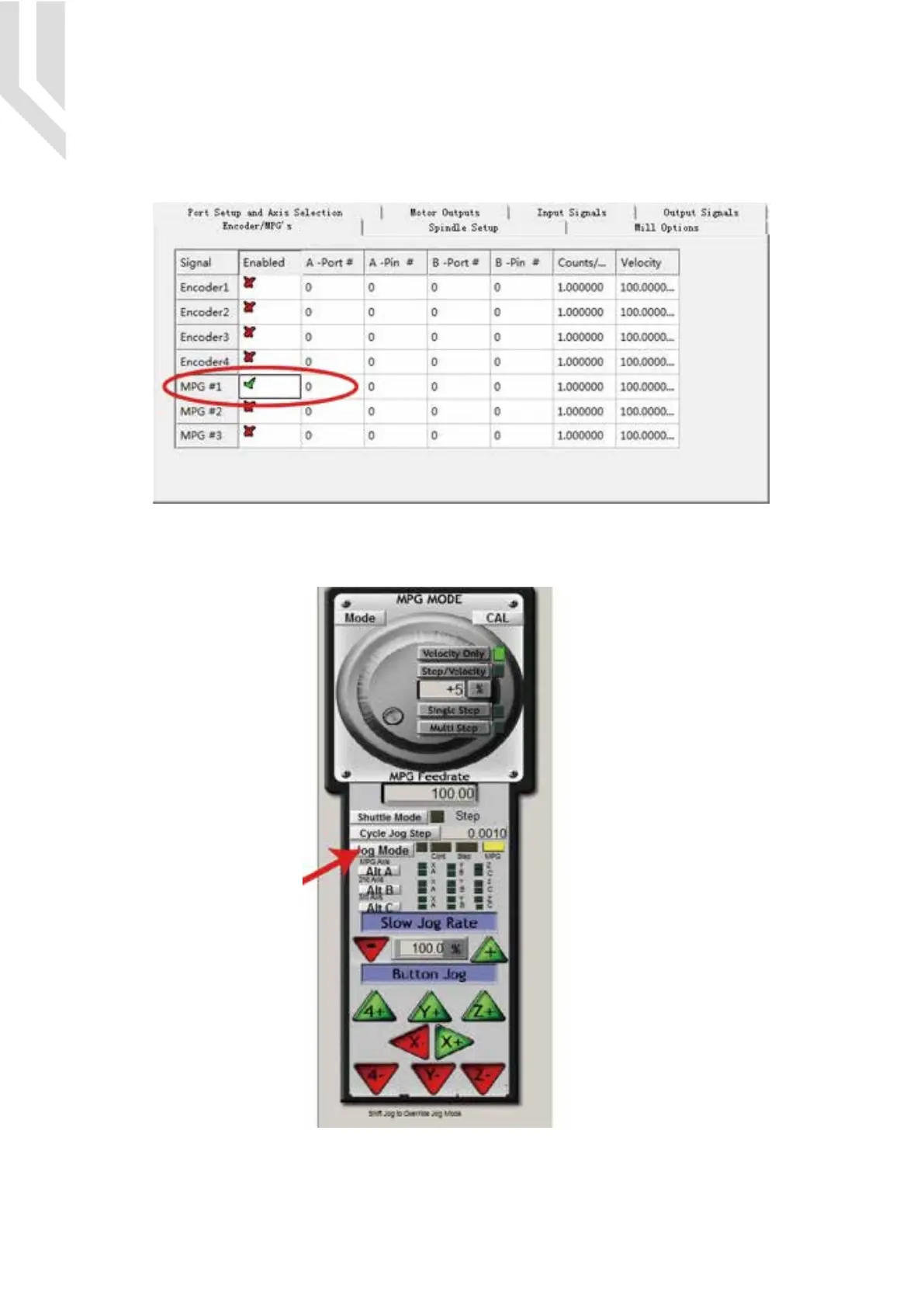
After the MPG selection done,we will go to setup the the MPG at Mach3 Software.
Go to Mach 3 and Menu -> Config -> Ports & Pins -> Encoder/MPG’s as following.
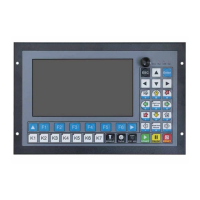
Then to active the MPG function, you can use the hand pulse, under the main page, click TAB to active
MPG panel, refer to the following Picture:


 To Previous Page