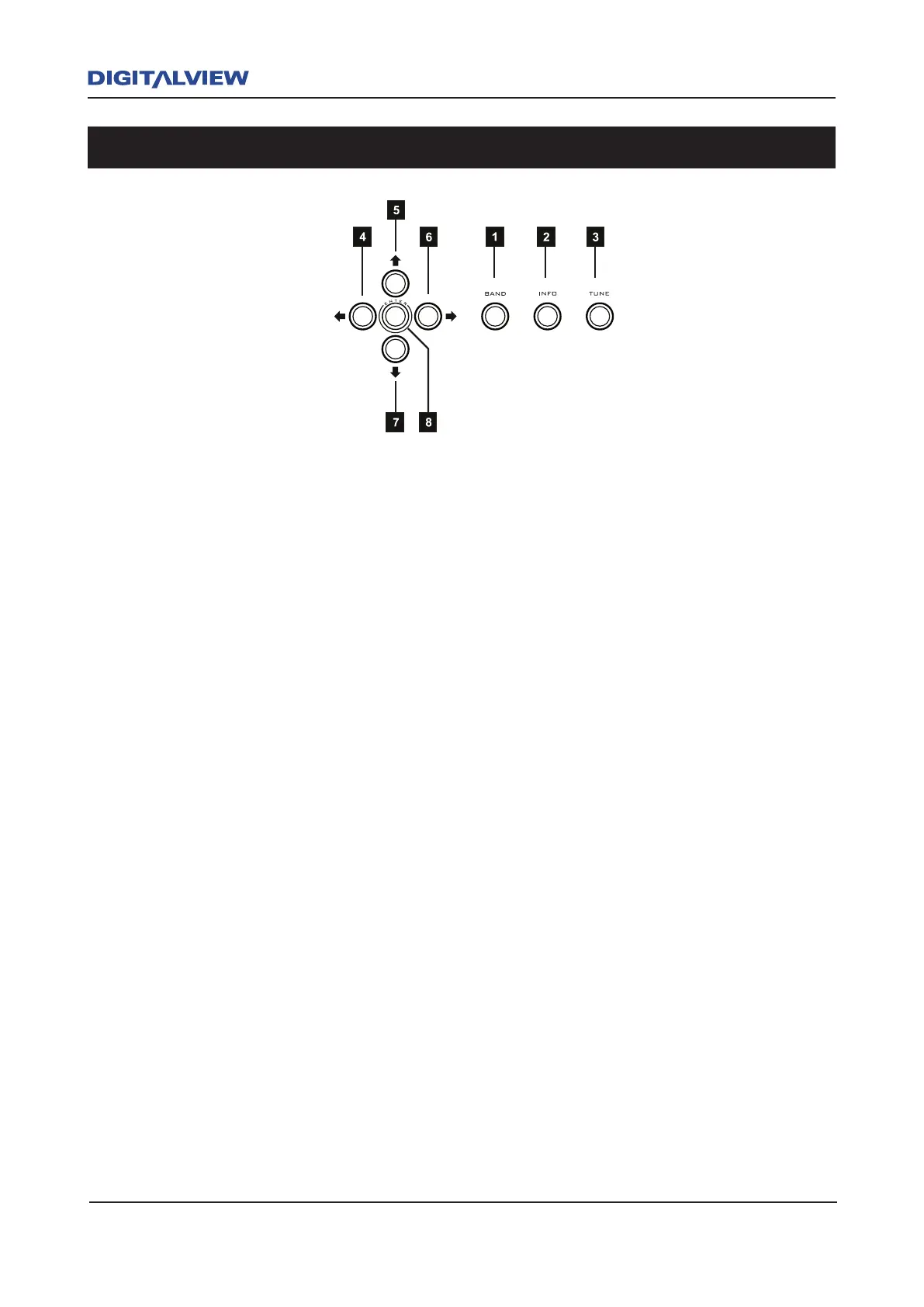
1. BAND - Press to select DAB or FM operation.
2. INFO - Press repeatedly to display Information related to the current broadcast. (Title,
Time, Date, Artist, Stereo, Ensemble, etc.). Pressing and holding the INFO + TUNE
buttons will initially activate the SYSTEM RESET option. Press and hold the INFO button
to display the current Firmware Version Number.
3. TUNE - DAB Mode: When pressed, scans for all DAB stations*.
FM Mode: When pressed, increments the FM frequency until it finds the next valid
station.
* Please Note: The term “station/s” will be used in this manual to dene a specic Service/s
(DAB) or Frequency/Frequencies (FM) and is associated with digital/analog radio broadcasting.
4 & 6 LEFT & RIGHT CURSOR NAVIGATION - DAB & FM mode. The Å or Æ button is used
to select or set one of 20 DAB or FM Preset locations. Presets are used as a quick means
of accessing your favourite stations. Pressing and holding the Å or Æ button quickly
scrolls through all Presets. Pressing the Å or Æ button with a slight pause between
presses, will slowly increment each Preset.
5 & 7 UP & DOWN CURSOR NAVIGATION - The Ç or È buttons are used to select the DAB
or FM station directly. Pressing and holding the Ç or È button will quickly scroll through
all stations. Pressing the Ç or È button with a slight pause between presses will slowly
increment each station. For manual tuning in FM mode, each button press increments the
frequency in 50kHz steps.
8. ENTER - In DAB or FM, the ENTER button is used to store the selected preset. Press and
hold the ENTER button to save the selected station as a Preset.
Transport Controls and Navigation Buttons



 To Next Page