12
IPEXCB Controller
System Control
Heat and Venlaon
Backup Power
HDMI CEC
LAN Cabling
Source Content Resoluon
In addion to the gigabit switch, the IPEXCB is required for the encoders and decoders to communicate with each
other regardless of system layout, such as one to many.
There are mulple ways to control the system once installaon is complete. There is the DigitalinxIP Control
soware for iPad and Windows. While not recommended, the IPEXCB can be controlled through a web browser. A
third party controller can communicate directly with the IPEXCB via the LAN (CONTROL) port or via RS232.
All electronics generate heat, and excessive heat can cause electronic devices to fail prematurely. The IPEX5001
and IPEX5002 devices are passively cooled and should not be stacked on top of each other or other devices. Please
leave at least 1 ½ inches (approximately 35-40 mm) of open space by the side vents to provide adequate airow.
The gigabit switch will likely have acve cooling. Please follow the manufacturer’s installaon instrucons for
proper mounng in an equipment rack.
It is always a good pracce to install a high quality UPS (uninterrupble power supply) with line ltering with
expensive electronics. The UPS can provide “clean” power to all the devices in the equipment rack while also
providing enough me to properly shut down connected devices in the event of an extended power failure.
The IPEX5002 can turn on and turn o connected displays via CEC. This technology has been a part of the HDMI
specicaon for years. The Digitalinx IP Control soware for Windows and iPad can turn on and o the displays for
easy end user control.
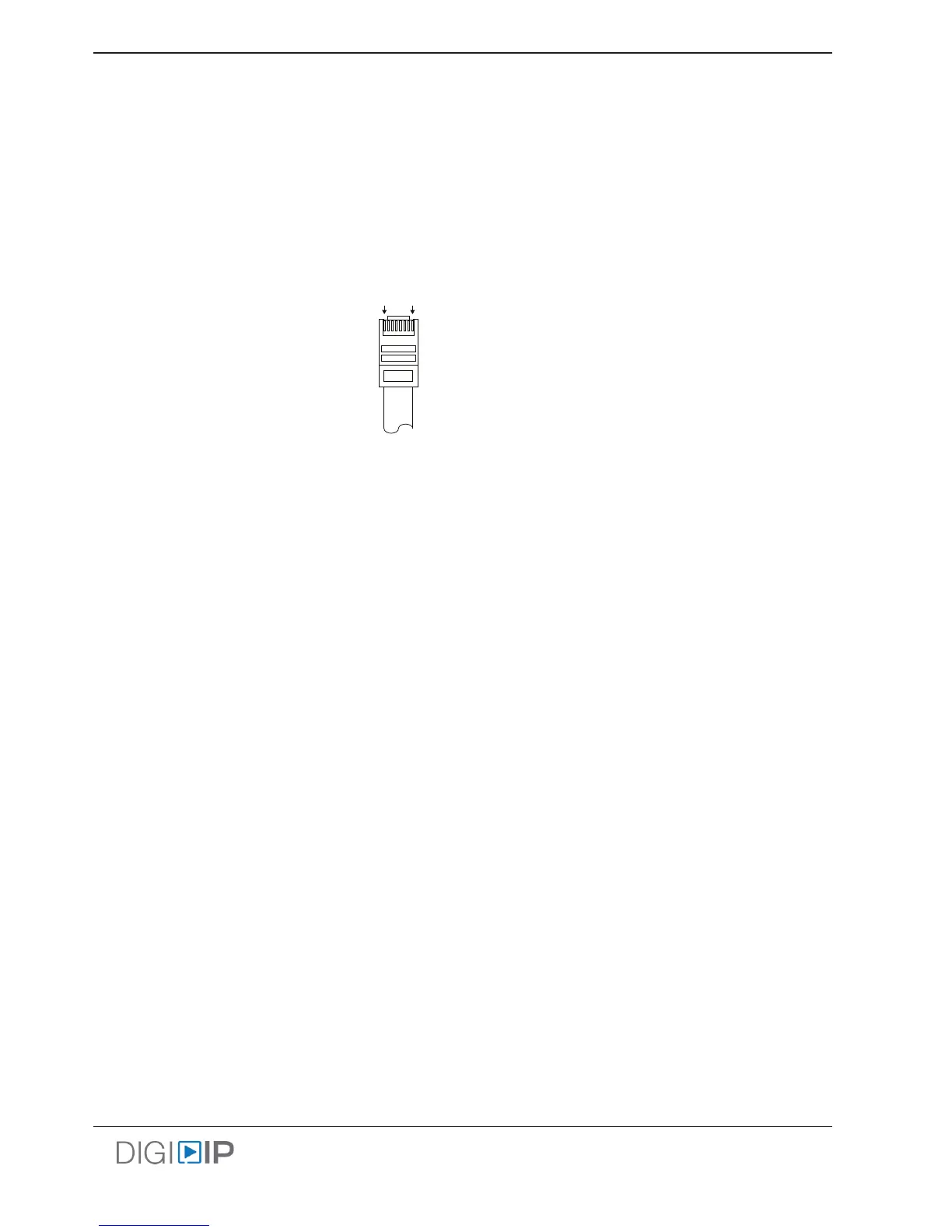
For all LAN cabling, the EIA/TIA-568B crimp paern must be used on Category 5e or greater cable. In areas with
large amounts of electromagnec (EM) or radio frequency (RF) interference, a shielded variety of Category 5e or
greater cable is recommended with shielded connectors on both ends of the selected cable. For high bandwidth
content such as 4K content, it is suggest that Cat6 or greater be used.
Even though the IPEX5000 series devices support 1080i, this resoluon may cause arfacts through the encoding
process. Please set the output resoluon of devices showing 1080i content to 720p or 1080p.
TIA/EIA-568B
Orange/White
Orange
Green/White
Blue
Blue/White
Green
Brown/White
Brown
Pin 1
Pin 2
Pin 3
Pin 4
Pin 5
Pin 6
Pin 7
Pin 8
1 8



 To Next Page