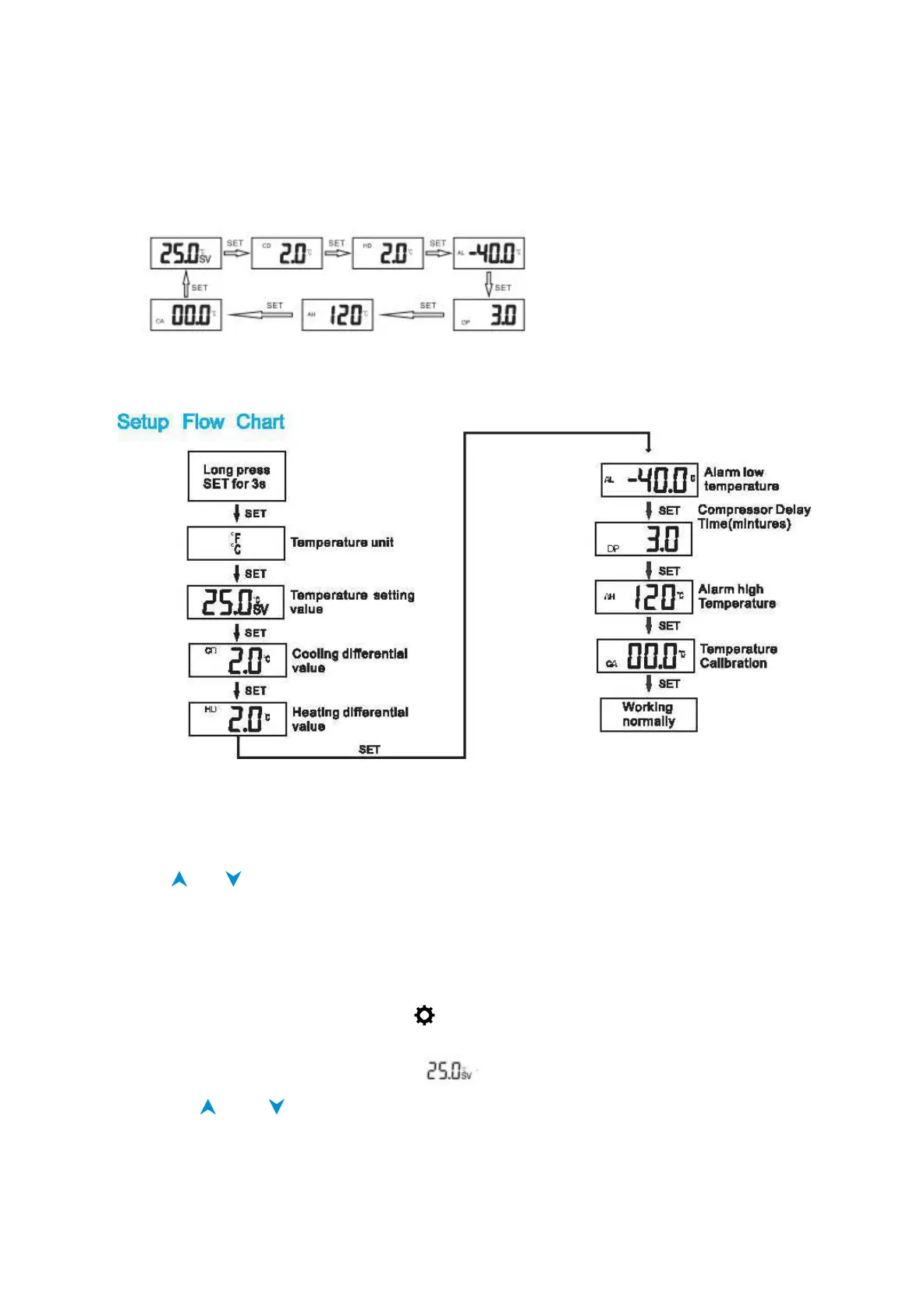
View setting value
When the controller is working normally, short press SET and you can look at the
parameter values in order.
Setting Instruction
How to change temperature unit
1. Long press SET button until
℉
and
℃
flash
2. Press or to switch the desired temperature unit
3. Long press SET button for 3S again to save and exit
Notice: When temperature unit value has been changed, all the setting value will be
recovered to factory settings.
Set the SV value
1. Press and hold SET button until the icon appears on the LCD, this will take over 3
seconds.
2. Short press SET button again until flashing.
3. Press the and button to adjust the current SV value.
4. Press Set button to save and exit


 To Next Page