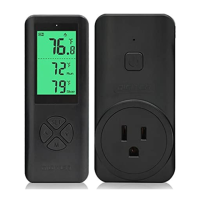
Manual turn on/off function
Press and hold the M button for 3 seconds, the controller switches to the
manual mode, Always on or Always off will appear on the display. Short press
the M key to turn on/off the device. Long press the M key to exit the manual
control function.
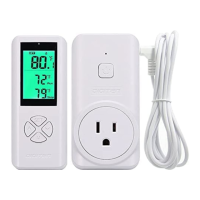
Note: Short press on the receiver to turn on/off loading until it receive
command from transmitter.
Troubleshoot
1, Current temperature is incorrect.
The remote update measuring value with 20 second a time. And if you use it
for the first time, please wait for about 5 minutes before the measurement is
2,Current temperature reach to the RUN value, but the controller don‘t work。
The remote send data to the receiver per 20 seconds, so please wait for more
3, Heating/cooling device is started too frequent
Please increase the difference between RUN and STOP
4.1, probe open circuit prompt: LCD current value shows Err
4.2, the measured temperature exceeds the measurement range, the current
value shows HH (high temperature), LL (low temperature)
The DIGITEN products are guaranteed to the original owner for one year
against defects in workmanship and materials. Please contact us:
This unit works with load up to 14A. If load is larger than 14A, it would become
very hot even burn the thermostat. That is very dangerous.
☆
The probe is waterproof, but controller is not waterproof, so don’t get water
into the controller and outlet.
COPYRIGHT 2019 DIGITEN CO.,LTD ALL RIGHTS RECERVED


 To Next Page