Digium, Inc. Page 21
Chapter 2: Unit Installation
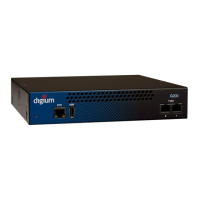
USB Recovery - This port can be used to perform a firmware recovery
and configuration reset. See Firmware Recovery and Configuration
Reset on page 53 for more information.
Warning! The USB Recovery port provides a limited amount of
current which is sufficient only to power a USB flash drive. Do not
connect any other type of device to this port. The USB flash drive
should be fully USB 2.0 compliant.
T1/E1 Port(s) - These ports are used for connecting T1 or E1 cables.
See RJ45 T1/E1 Port Connector on page 60 for more information.
T1/E1 Status - These LEDs correspond to the status of the T1/E1
ports. See Frequently Asked Questions on page 55 for more infor-
mation.



 To Next Page