Digium, Inc. Page 29
Chapter 2: Unit Installation
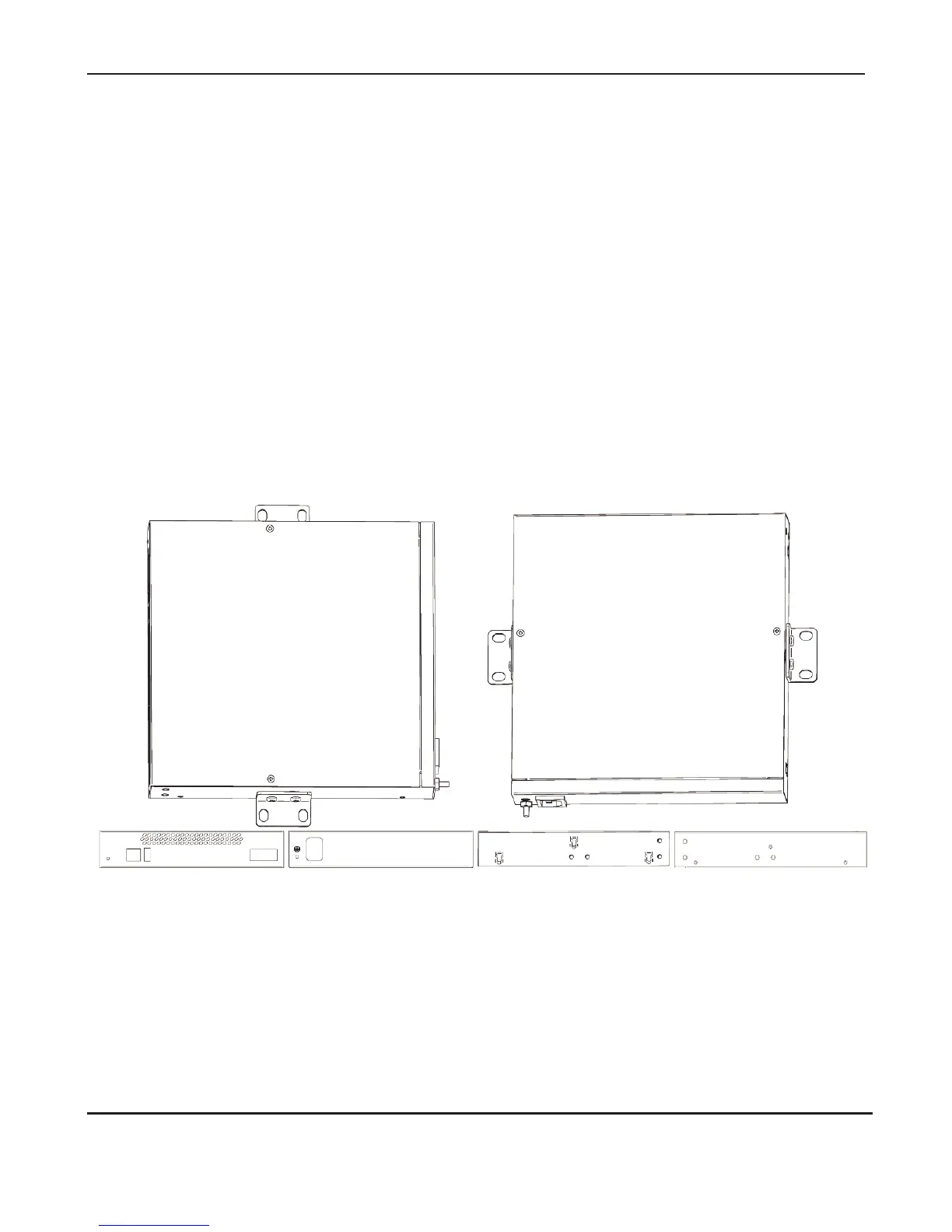
If the Gateway Series appliance is placed in the “right side down”
orientation, the 2 remaining #8 black truss head mounting screws should
be fully inserted into the screw holes near the front of the right side of the
Gateway Series appliance. In addition, the three #6 pan head screws
should be fully inserted into the side-by-side holes on the right side of the
first Gateway Series appliance.
Note: The Gateway Series appliance must be properly grounded for
safety reasons. If the unit is not properly grounded, damage could arise
to the unit and/or other equipment connected to the unit.
Figure 6: Acceptable Wall Mount Orientations
Front side
Right side down
Back side down
Back side Left side
Right side



 To Next Page