Digium, Inc. Page 55
Chapter 4: Troubleshooting
Frequently Asked Questions
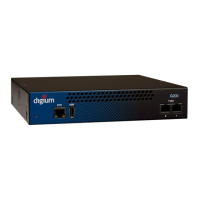
What do the colors of the Device Status LED indicate?
Red - Hardware is initializing.
Amber - Software is initializing. Hardware is initialized.
Green - Hardware and software are fully initialized and running.
What do the colors of the Ethernet Status LEDs indicate?
Steady Green (left side) - Active Link
Blinking Amber (right side) - Network activity
What do the colors of the T1/E1 Status LEDs indicate?
Steady Green (right side) - Appliance is in-sync with the far end.
Steady Yellow (right side) - Appliance is synchronizing or is receiv-
ing a yellow alarm from the far end.
Steady Red (right side) - Appliance is not seeing far end, circuit is not
up, or cable is bad.
Singular Blinking Green (right side) - Line has been placed into
loopback mode.
Steady Blue (left side) - T1/E1 software driver is initialized, but con-
figuration is invalid.
All Off - T1/E1 software driver is not initialized.



 To Next Page