Digium, Inc. Page 28
Chapter 2: Unit Installation
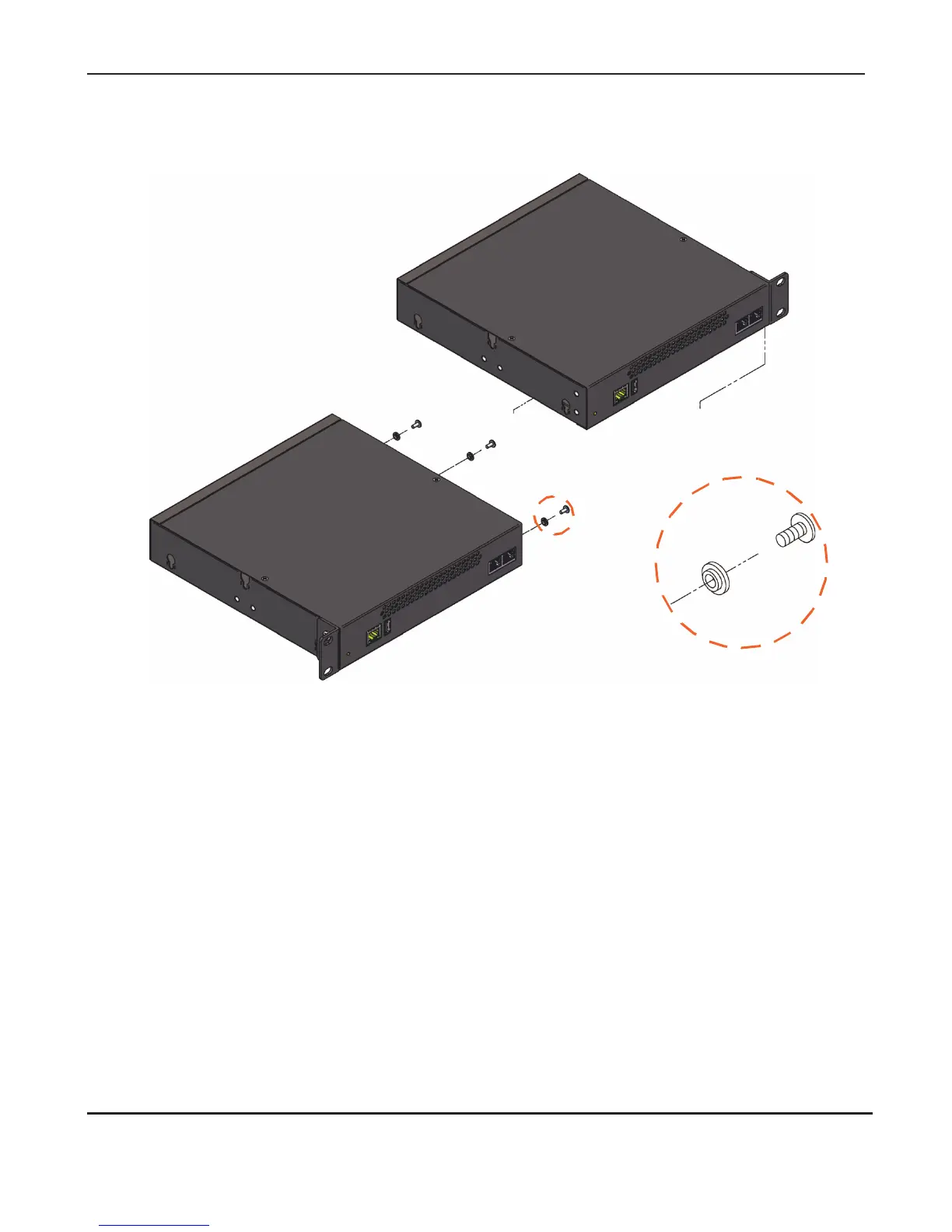
Figure 5: Side-by-side Rack Mounting
Wall Mount:
In order to wall mount the Gateway Series appliance, the short mounting
brackets should be flipped and rotated, and fastened on the middle of the
right and left sides of the Gateway Series appliance as shown in Figure 6
on page 29. The unit should be mounted at or below eye level to properly
view the LEDs. In addition, the Gateway Series appliance should be
properly oriented as shown in Figure 6. Orientations other than those
shown in Figure 6 are not acceptable.



 To Next Page