Digium, Inc. Page 24
Chapter 2: Card Installation
Unpacking the Card
When you unpack your card, carefully inspect it for any damage that may
have occurred in shipment. If damage is suspected, file a claim with the
carrier and contact your reseller from which the card was purchased, or
contact Digium Technical Support (+1.256.428.6161). Keep the original
shipping container to use for future shipment or proof of damage during
shipment.
Note: Only qualified service personnel should install the card. Users
should not attempt to perform this function themselves. The installer
must ensure that the equipment is permanently connected equipment,
pluggable type B or connected to a socket-outlet that has been checked
to ensure that it is reliably earthed in accordance with the National
Electrical Code.
Shipment Inspection
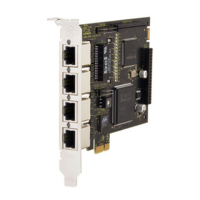
The following items are included in shipment of the TE400 Series:
TE400 Series card (TE405P/407P/410P/412P/420/420B)



 To Next Page