17
Safety Precautions
Proper Operation
Repairs Customer support
Great features of
dimchae
○
16
Proper Operation
Selecting functions
3
5.
“
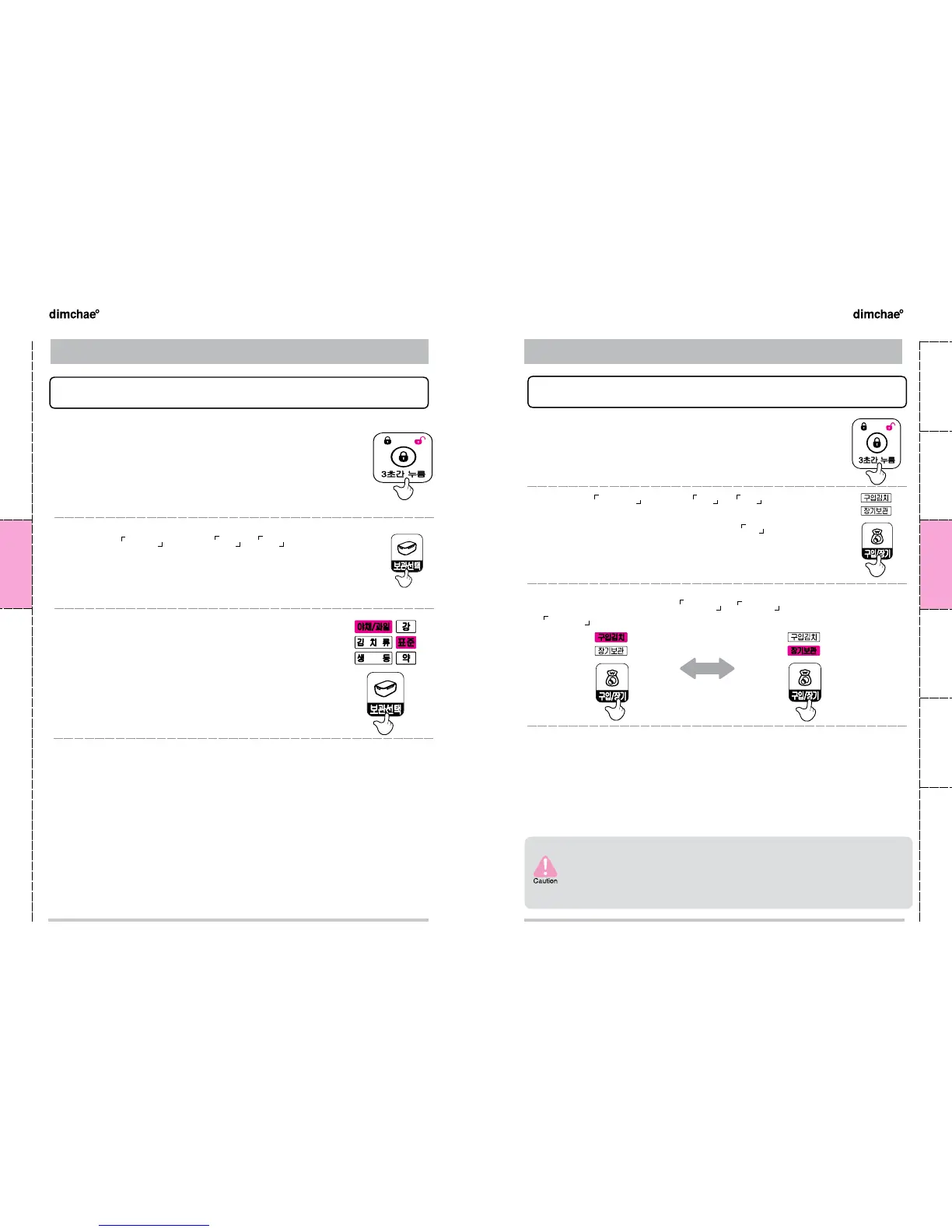
How to set up Ready-made purchased kimchi / Long-term storage
”
❸
You will see the change of
장기보관 ↔
구입김치 each time you press
구입/장기 button
.
※ Purchased kimchi’and Long-term storage’are the separate functions.
●
Mode change is available when the power for 우실 that you want
to change is on.
● Long-term storage mode stores kimch fresh and delicious for long
time by rapid cooling and slowing ripening process.
● Purchased kimchi needs special care since the ripening in some
extent has been processed during its distribution.
● For storing newly-purchased Kimchi, clear ‘Purchased Kimchi’ mode as
described below and reset if you are currently using ‘Purchased Kimchi’ mode
1st Step (Clearing‘Purchased Kimchi’mode): [풀림] → [김치류-표준] → [잠금]]
2nd Step (Resetting‘Purchased Kimchi’mode): [풀림] → [구입김치 선택] → [잠금]
❶
Press the [잠금/풀림] button for three seconds to change to
unlock
●
If any input is not made within twenty-five seconds, the appliance will be
returned to look.
❷
Press the
구입/장기 button of
좌실 or 우실 depending on the
room you want to change the mode
Selecting functions
3
4.
“
How to set up Vegetable/Fruit storage
”
● Select function according to the types and freshness of the vegetable/
fruit.
● It allows to store vegetable/fruit fresh.
It is not for long-term storage; so, please check contents frequently while
storing.
● If vegetable/fruit function is set up, much water may remain inside than
Kimchi storage function.
● For details of vegetable/fruit storage, please refer to the page 13.
● If selecting [야채/과일] mode while using Kimchi or chill storage, floor
may be wet due to the frost inside the dimchae° It is not a malfunction
so just dry and use it.
●
Store vegetables and fruits without washing and in [야채/과일] container.
The wet surface may spoil them quickly
❶
Press the [잠금/풀림] button for three seconds to change to
unlock
●
If any input is not made within twenty-five seconds, the appliance will be
returned to look.
❷
Press the
보관선택 button of
좌실 or 우실 depending on the
room you want to change the mode
●
Mode change is available when the power for the room you want to
change function is on.
❸
You will see the change of 김치류 (표준 → 강 → 약) → 야채/
과일 (표준 → 강 → 약)→ 생동 (표준 → 강 → 약) each time you
press [보관선택] button
.


 To Next Page