11
Operation
WARNING: This electric
rebox must be properly installed
before it is used.
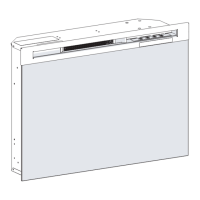
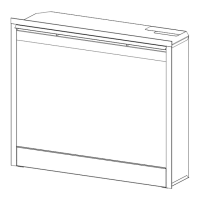
Manual Controls
To access the controls, ip open
the control panel cover towards
the bottom of the replace. (Fig-
ure 5)
A. On/Off Switch
The On/Off Switch supplies power
to all replace functions (Heater/
Flame).
B. Flame Action Control
Turn the Flame Action Control
knob to adjust the ame speed to
the desired level.
C. Interior Light Control
Turn the Interior Light Control
knob to increase or decrease the
brightness of the upper lights.
D. Thermostat Control
To adjust the temperature to your
individual requirements, turn the
Figure 5
thermostat control clockwise all
the way to turn on the heater.
When the room reaches the
desired temperature, turn the
thermostat knob counter clock-
wise until you hear a click. Leave
thermostat in this position to
maintain the room temperature at
this setting. For additional heat,
turn clockwise until you hear the
click again and the heater will turn
on.
!
NOTE: The heater on your
replace may emit a slight, harm-
less odor when rst used. This
odor is a normal condition caused
by the initial heating of internal
heater parts and will not occur
again.
E. LED Indicators
Indicates the current function of
the replace.
!
NOTE: When the rebox is
changing from Low heat to High
heat the speed of the fan does
A
B
FE
D
C


 To Next Page