Charging Mode
Connect the small connector of the USB cable to the USB socket on the fan
and connect the large connector to a suitable (maximum) 5V charging unit (not
supplied). A typical laptop or computer USB port can be used or a suitable plug
adaptor – NB – please check the plug output rating to ensure it is a maximum
output of 5V/1A, connecting the fan to a higher charging output will damage the
unit. Please check the output rating of the charging socket before use.
When the charging unit is switched on (with the fan in o mode) the LED lights will
ash to indicate the amount of power/charge in the battery as follows:
1. When the battery power detected is ≤ 25%, Light 1 will ash slowly on & o
(interval approx.1 second).
2. When the battery power detected is between 25% and 50%, Light 1 will stay
on, Light 2 will ash slowly on & o (interval approx.1 second).
3. When the battery power detected is between 50% and 75%, Light 1 & 2 will
stay on, Light 3 will ash slowly on & o (interval approx.1 second).
4. When the battery power detected is between 75% and 100%, Light 1, 2 & 3 will
stay on, Light 4 will ash slowly on & o (interval approx.1 second).
5. When the battery power detected is 100% (fully charged), Light
1, 2, 3 & 4 will stay on.
NB - Charging & Working Duration:
1. Charging period when the battery is fully discharged will take 7 hours using a
5V/1A adaptor to fully charge the fan.
2. Working duration unplugged is from 4 hours in High speed mode to 15 hours in
Quiet speed mode.
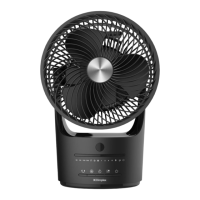
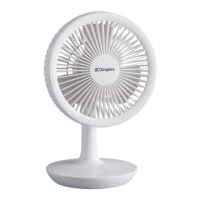
There is one electronic push button positioned on front of the LED lights.
1) Short Press Operation sequence:
When it is o with the charging cable disconnected
• Press the button once and it will switch on in Quiet mode and indication light 1
will come on.
• Press the button again and it will switch to Low speed mode and indication
light 2 will come on.
• Press the button again and it will switch to Medium speed mode and
indication light 3 will come on.
• Press the button again and it will switch to High speed mode and indication
light 4 will come on.
• Press the button again and it will switch O and all lights will go out (when the
charging cable is not connected).
2) Long Press Operation:
Press the button for 1.5 seconds or more when the product is running at any
speed and the appliance will turn o immediately without going through the short
press sequence above.
Operation


 To Next Page