EasyManua.ls Logo

DINGLI BA22ERT - Page 50

DINGLI BA22ERT
111 pages
Print Icon
To Next Page IconTo Next Page
To Previous Page IconTo Previous Page
Loading...
Oper
a
Table
4
Item
1
2
3
4
a
tion &
M
4
-2 The
E
Na
m
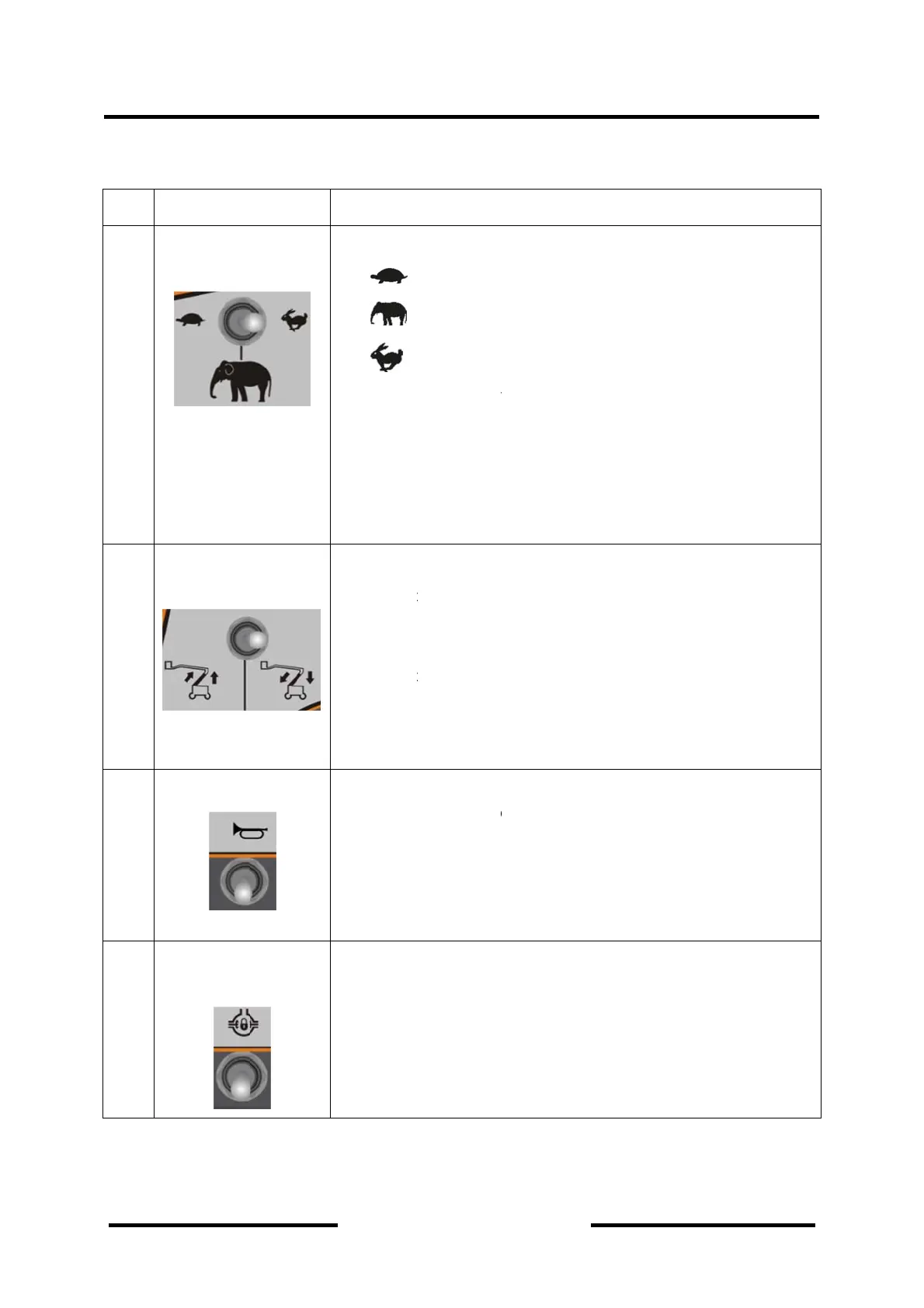
Speed mo
d
swit
c
The Lower
Boom Cont
r
The Horn
Differenti
a
Swit
c
M
aintena
n
E
xplanati
o
m
e
d
el select
c
h
and Mid
r
ol Switch
Switch
a
l Lock
c
h
n
ce Man
u
Din
g
o
ns for th
e
A three po
s
:
l
:
c
:
h
Only three
model is v
a
1) the
2) the
3) the
A Three P
o
Push t
the Lo
w
simult
a
Push t
and M
i
Lowes
return
A Two Pos
i
power to t
h
Automatic
a
A Two Pos
i
Position A
u
Toggling to
The toggle
be release
d
u
al
g
li Mach
e
Platfor
m
s
ition switch
l
ower spee
d
c
limbing
h
igh speed
conditions
f
a
lidated.
switch turn
e
boom stow
e
turret posit
e
o
sition Toggl
t
he toggle l
e
w
er and th
e
a
neously, u
n
t
he toggle l
e
id Boom w
o
s
t Position.
O
to the Origi
n
i
tion Toggle
h
e horn. It w
o
a
lly once be
i
tion Toggle
u
tomatically
differential
will return t
o
d
, that will i
n
Section
4
inery
m
Consol
e
Descri
p
allows ope
r
d
f
ollowed sat
i
e
d to rabbit
e
d complet
e
e
d original p
o
e Switch.
e
ver Up acc
o
e
Mid Boom
n
til the Boo
m
e
ver to the o
o
uld be get
D
O
nce the to
g
n
al position.
Switch. If p
r
o
uld return
B
released.
Switch wou
once be rel
e
lock icon wi
o
the origin
a
n
validate th
e
4
-Machi
n
Indicat
o
p
tion
r
ator select
t
sfied must
b
ly
o
sition
o
rding to U
P
w
ould be ra
m
Up to the
U
p
posite dire
c
D
own until t
h
g
gle lever is
r
essed, this
B
ack to Ori
g
ld return Ba
e
ased.
ll activate d
i
a
l position a
u
e
differential
n
e Contr
o
o
rs
the speed
m
b
e, the high
P
Arrow dire
c
a
ised
Up limited
p
ction, the L
o
h
e Boom to
released, it
switch sup
p
g
inal Positio
a
ck to Origin
ifferential lo
c
utomaticall
y
lock.
o
ls and
4-8
m
ode.
speed
c
tion,
p
osition.
o
wer
the
would
p
lies
n
al
c
k.
y
once

Table of Contents

Related product manuals