Beijing Dingtek Technology Corp., Ltd. Tel:86-10-64718863, 64753700
http://www.dingtek.com E-mail: service@dingtek.com
Room A209, Flounder Business Park, Shunbai Road 12, Chaoyang District, Beijing, China 100022 Page
17
Figure6.3
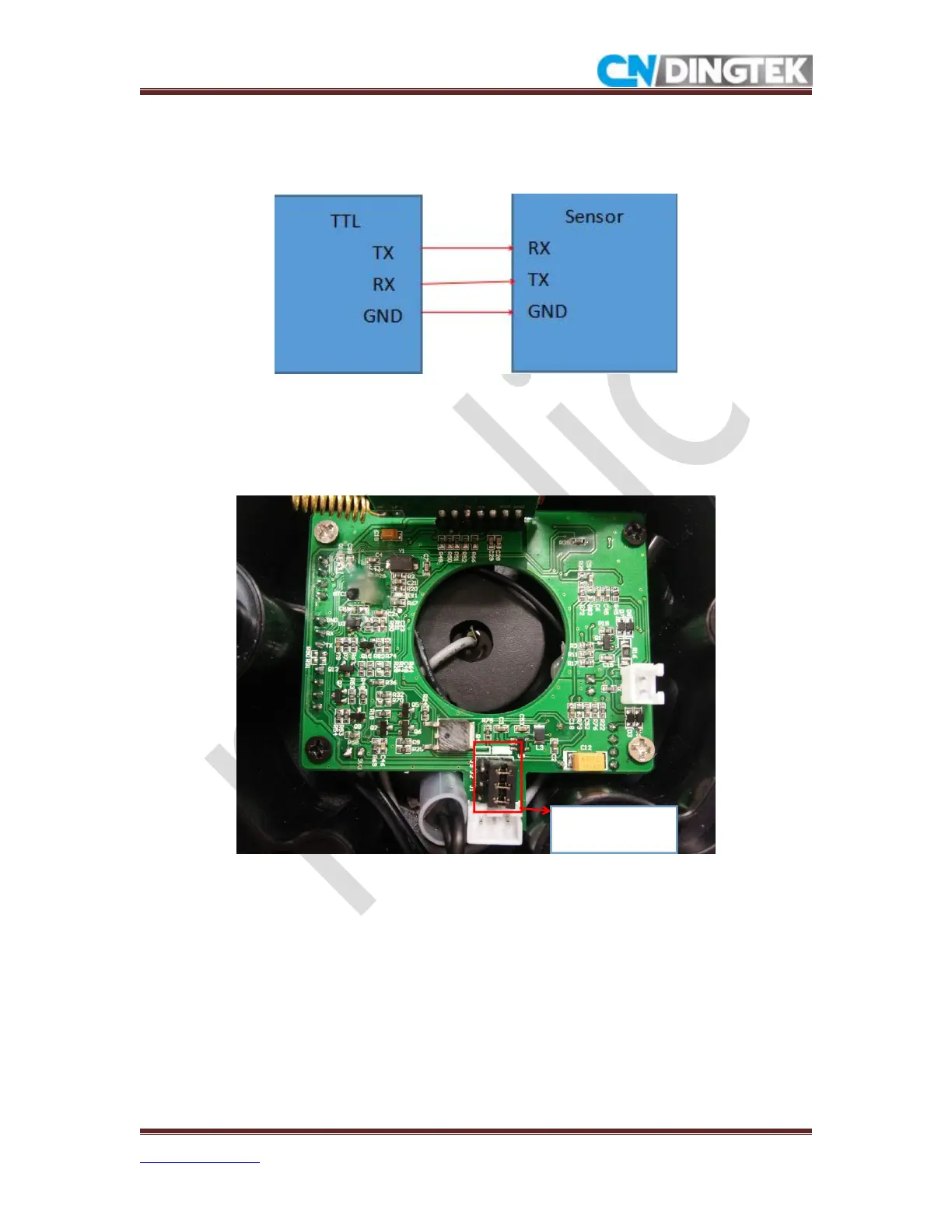
TTL and Device ports connection are shown in the figure 6.4.
Figure6.4
Steps:
1 Confirm that the jumper cap is at the solid position (jumper cap defaults to solid position)
as shown in figure6.5.
Figure6.5
2 Connect TTL to sensor, as shown in figure6.4 and figure6.6
Jumper cap is
in solid position


 To Next Page