34
© 2008 Directed Electronics. All rights reserved.
¢Pair remote mode
It is recommended that this feature for programming the remote to the system is
performed by your installer.
¢ Demo modes
One-time with sounds
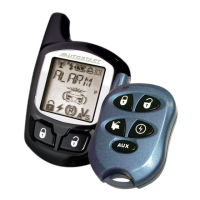
4HE,#$ICONSDISPLAYONEATATIMEWITHICONNAMEDISPLAYEDINTHETEXT
field, while the remote is playing tones.
One-time without sounds
The LCD icons display one at a time until they are all turned on. The remote
does not play any tones.
Note: If the charger is plugged into the remote and demo mode is acti-
vated, the remote plays the demo mode continuously. The continuous loop
DEMOMODEISEXITEDWHENTHECHARGERISDISCONNECTED



 To Next Page
