44
© 2008 Directed Electronics. All rights reserved.
Quick reference guide
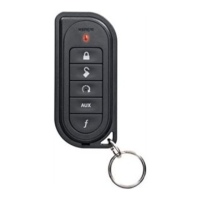
¢Ê Locking
To lock, press the
button. The remote beeps one-time and the LCD
displays "locked"
¢Ê Unlocking
To unlock press the button. The remote beeps two-times and the LCD
displays "unlock".
¢Ê Bypassing the optional starter kill without a remote
4URNONTHEIGNITION0RESSANDRELEASETHE6ALETBUTTONWITHINSECONDS
The vehicle should now start. If it does not, you may have waited too long
or pressed the button incorrect number of times.
.UMBEROF6ALETBUTTONPRESSESFORDISABLING??????????????????
¢Ê Silent Lock
Press one-time and then press The lock icon turns on and the LCD
displays "silent lock".
¢Ê Silent UnLock
Press one-time and then press . The unlock icon turns on and the
LCD displays "silent unlock".
¢Ê Remote Start
Press 4HEREMOTEWILLPLAYTHEREMOTESTARTTONESANDTHE,#$TEXTWILL
display "remote start on" when activating. When deactivating the remote
STARTTHEREMOTEWILLPLAYTHEREMOTESTART/FFTONESANDTHE,#$TEXTWILL
display "remote start Off".
Cut along the dotted line and fold to keep in purse or wallet for a quick and easy reference.



 To Next Page
