61
DIRECTV Plus
®
DVR - User Guide
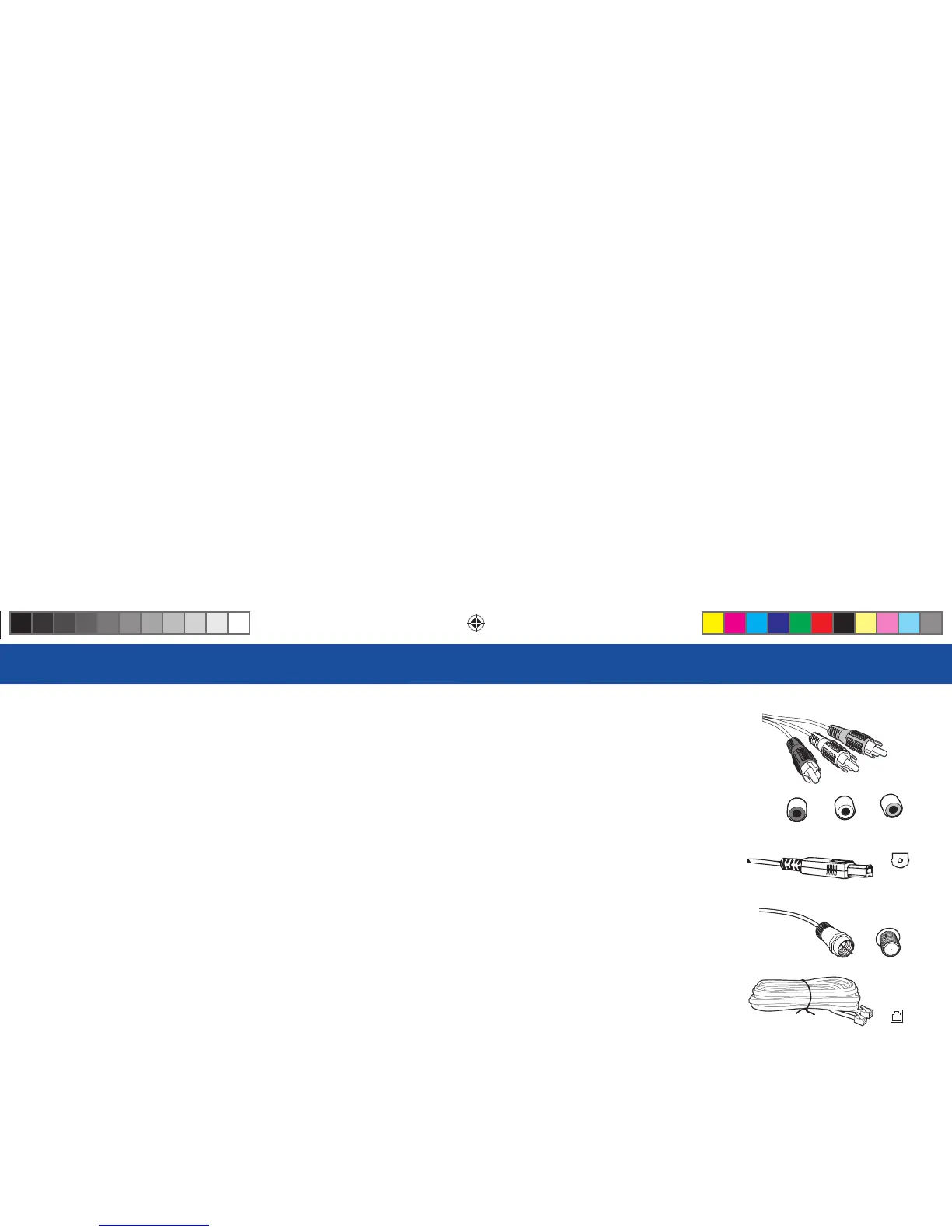
Audio/Video (A/V) Jack and Cable
Audio/Video (A/V) cables provide very good picture quality and stereo sound, and should be used if your
TV does not have S-Video jacks. e DIRECTV Plus DVR’s A/V jacks are color coded (yellow for video,
red for right audio and white for left audio). If your TV has only one input for audio (mono), connect it to
the left (white) audio jack on the DIRECTV Plus DVR.
Best Audio: Digital Audio Optical Jack and Cable
e Digital Audio Optical cable provides the best quality audio. e jack and cable use light to send digital
audio data to A/V receivers equipped to receive and interpret it. e jack and cable (cable not included)
must be aligned before plugging in, and may be covered by protective caps, which must be removed before
making connections.
RF Jack and Coaxial Cable (F-type)
RF jacks and coaxial cables provide good picture and mono sound quality. ey should be used if A/V
connections are not available on your TV. RF jacks are used to connect to your TV and satellite dish, off -air
antenna and cable feed connections. e RF jacks on the receiver are labeled SATELLITE IN, OFF-AIR
IN and OUT TO TV. Note: Be sure to use RG-6 coaxial cable when connecting from the satellite dish to
the DIRECTV Plus DVR.
Telephone Jack and Cord
e telephone line cord is required to connect your DIRECTV Plus DVR to a land-based telephone line
if you choose to subscribe to DIRECTV programming. e phone line connection is used to periodically
call DIRECTV. You will need an RJ11-type modulator jack (the most common type of phone jack). Note:
Do not connect your receiver to a digital PBX phone system — doing so may permanently damage your
equipment and void your warranty.
Note: Not all cables
come with your digital
satellite receiver; you
may need to purchase
additional cables
depending on your
setup.
RF Jack
Phone
Jack
Digital Audio
L
R
R
Video
R16 UG Book.indb 61R16 UG Book.indb 61 10/29/07 2:51:49 PM10/29/07 2:51:49 PM



 To Next Page