Getting Started
4
Getting Familiar
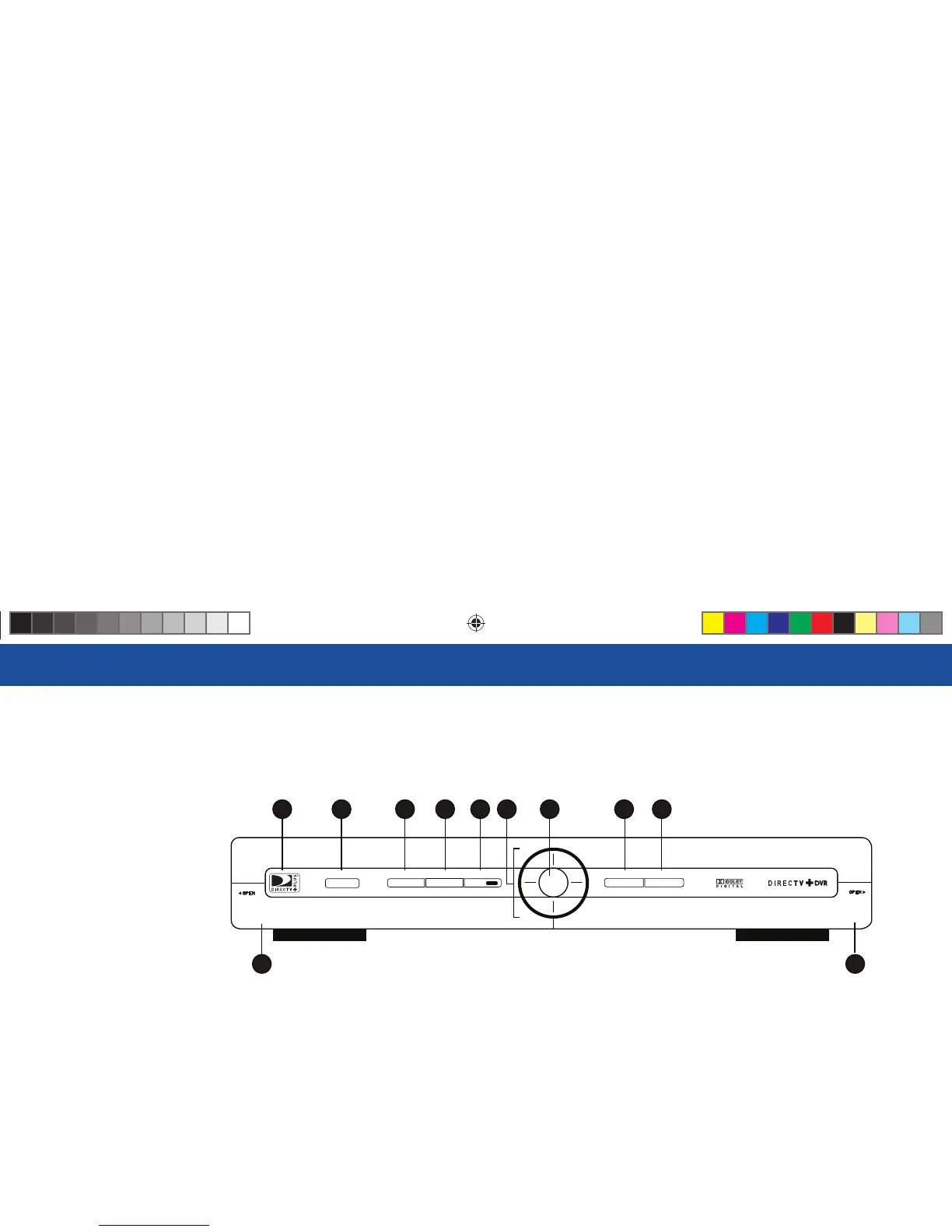
DIRECTV Plus DVR Front Panel
1) DOOR PANEL, USB PORT – For future use.
2) POWER – Turns your DIRECTV Plus DVR on or off . Your DIRECTV Plus DVR still records and
receives messages when powered off .
3) REMOTE SENSOR – e infrared sensor picks up commands from the remote control.
4) GUIDE – Displays the onscreen program guide.
5) MENU – Brings up the Menu to access settings and services.
6) RECORD – In live TV, records current program; in the Guide sets one-touch record for highlighted
program.
7) ARROWS – Move the onscreen highlight up, down, left or right.
GUIDE MENU REC
ACTIVE INFO
SELECT
POWER
2
1
4 5 6 10
11
3 7 98
R16 UG Book.indb 4R16 UG Book.indb 4 10/29/07 2:51:30 PM10/29/07 2:51:30 PM



 To Next Page