Microber Mop Pads
Reusable microber mop pads are
machine washable and safe for
virtually all hard oor surfaces. Your
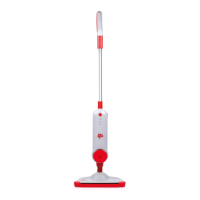
steam mop may have come with two
different pads. The white microber
pad is best for everyday use on
delicate ooring like sealed
hardwoods and laminate. The gray
and white striped pad can be used
for scrubbing heavily soiled oors
and cleaning tougher messes.
Getting ready
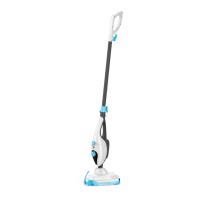
The mop pad may have already come attached to the mop head.
1. Set mop head in mop pad, making sure quick-grip release tab is
located on the back.
2. Fill the water tank.
a. Press the buttons on both sides of the tank and pull it out.
b. Pull out the rubber plug on the back of the tank.
c. Fill water tank with water. For beat results, water should be at
room temperature.
d. Replace the water tank and gently slide it into place.
3. Quickly release the power cord and insert it into the 120volt power
socket.
4. The indicator will light up when the steam mop is ready to use press
the steam level button to select the steam level you want.
Note:
Upon rst use of the steam mop or rst use after relling the water
tank, the pump may make a “knocking” sound. This is normal and
should only last a few seconds.
Before you clean
Thoroughly sweep or vacuum oor prior to cleaning with the steam
mop.
Mop pad


 To Next Page