to fall out during the use of the steam mop.
Note: Move the steam mop in a continuous motion until you are
nished. DO NOT leave the mop in a stationary position.
Maintenance & Care
1. Unplug power cord form outlet.
2. Carefully remove the mop pad from the mop head. The mop pad
and lower assembly may be hot.
3. Any water remaining in the water tank should be emptied prior to
machine storage.
4. Mop pad can be machine washed in warm water. Use only liquid
detergents. Do not use fabric softeners or bleach for best results, air
dry.
5. Wrap power cord around hook on back of the steam mop.
6. Wipe all surfaces of the steam mop with a soft cloth. Store upright in
a protected, dry area.
Troubleshooting
WARNING
To reduce the risk of electric shock, turn power switch off and
disconnect the plug form electrical outlet before performing
maintenance or troubleshooting checks.
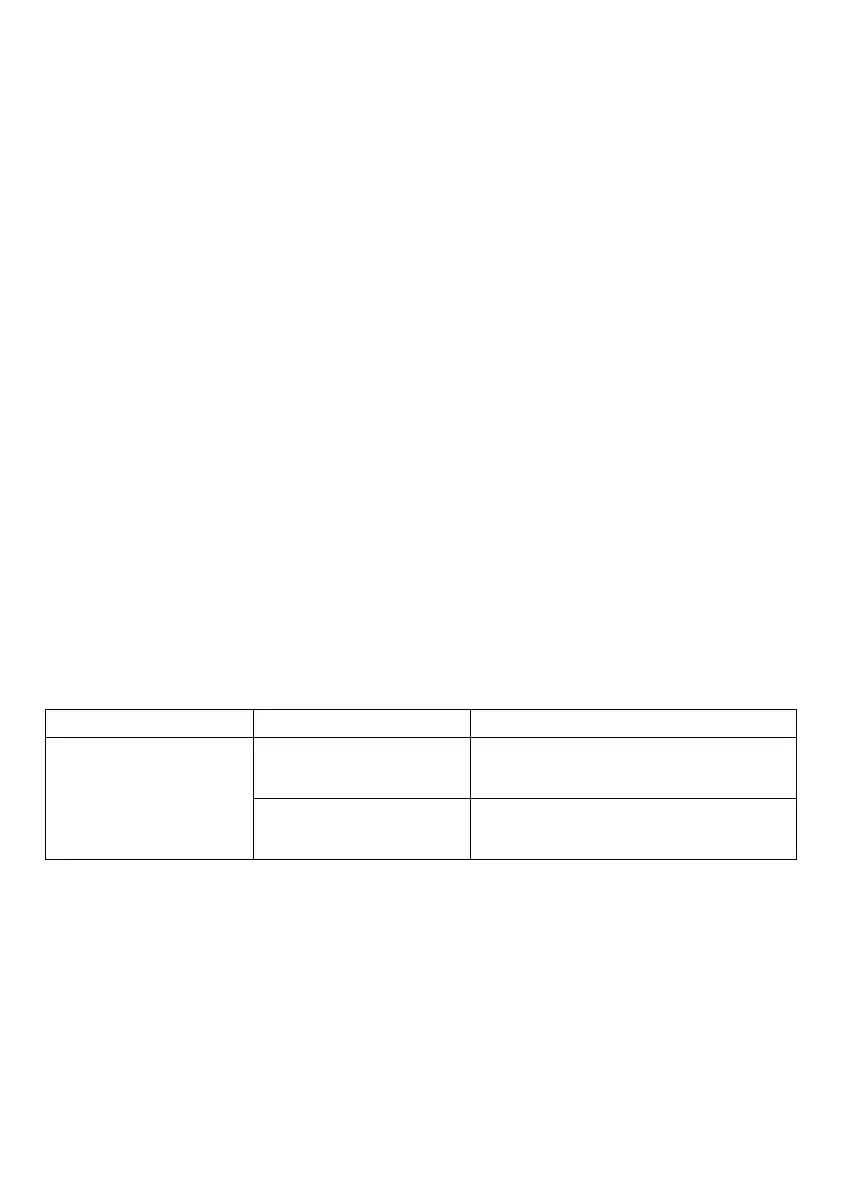
Problem Possible Remedies
Reduced steam or
no steam
Water tank empty Fill tank
Steam level not se-
lected
Select steam level by pushing
steam level button
Note:
Other maintenance or service not included in the manual should be
performed by an authorized service representative.


 To Next Page