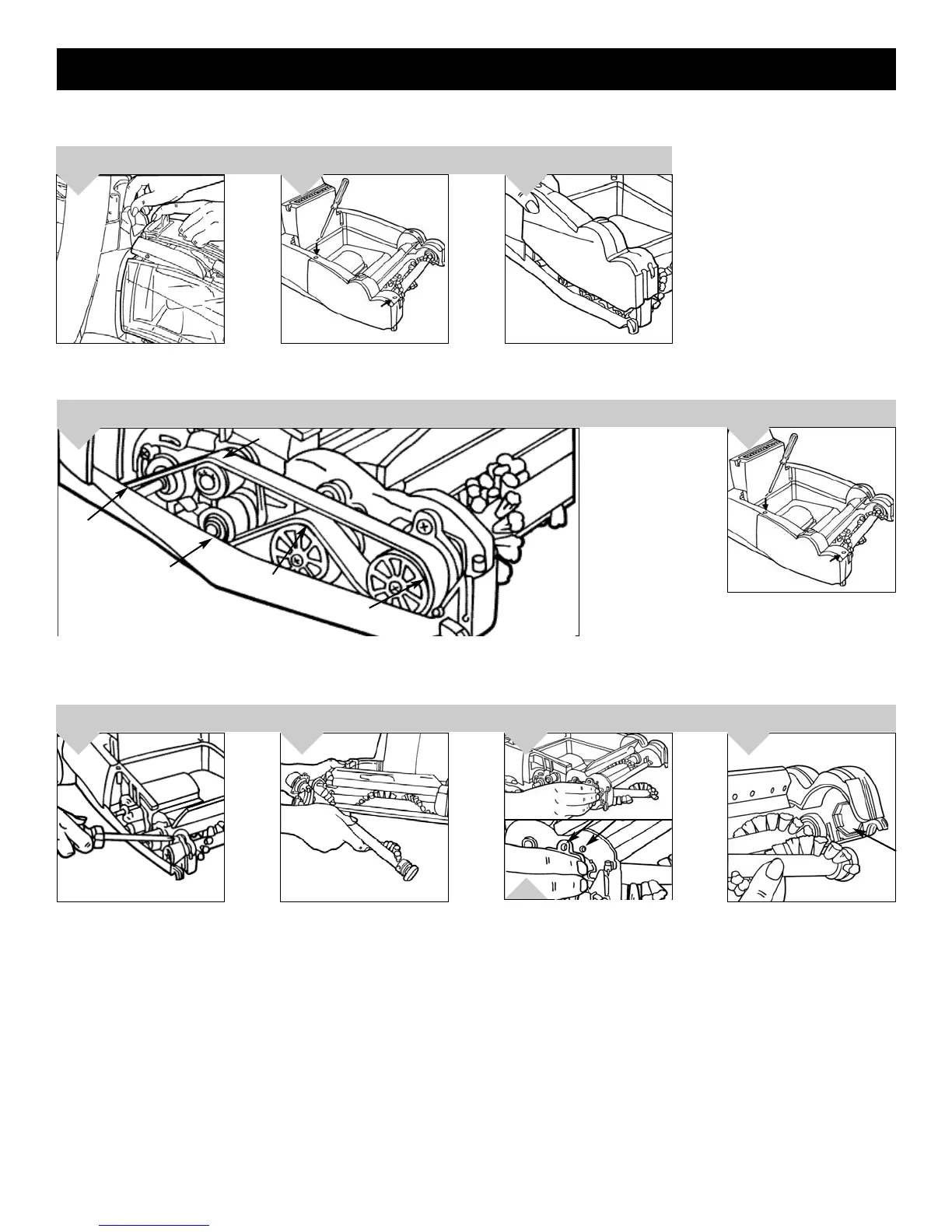
BELT OR BRUSH REMOVAL AND REPLACEMENT
Remove belt cover. Remove
broken belt. NOTE: Diagram of
belt placement on motor cover.
Remove dirty water tank and
front nozzle (see page 10) put to
the side.
3.
1. Loop belt around rear shaft. 2. Loop the top of the belt above the top small pulley and the bottom
of the belt below the lower small pulley. 3. Feed the entire belt over the first large pulley. 4.Loop the
belt around the front large pulley and rotate the front brushroll forward until the belt is in place. NOTE:
Make sure entire belt stays on top of the first large pulley by lightly placing finger on top to guide it.
4.
Return nozzle cover to original
position. Secure by replacing the
two (2) screws.
5.
Tilt cleaner off carpet. Grasp
brushroll and pull the right
side out of its chamber. Tilt
brushroll down to ground and
remove silver cap. Slide worn
brushroll out of cleaner.
2.
Remove screw that holds
brushroll in place.
4.
1.
2.
Use a Phillips screwdriver to
remove two (2) screws.
1.
1.
2.
2.
3.
4.
BELT STYLE: 4
Replace silver cap to right
side of brushroll. Lift brushroll
up and align with brushroll
chamber. Push screw plate
towards the screw hole until
flush and replace screw.
11
3.
To install new brushroll: Feed the
brushroll through the opening (3)
until the screw plate and screw
hole are lined up (3a). NOTE:
The black cap behind the silver
screw plate will be through the
hole.
3a.







 To Next Page