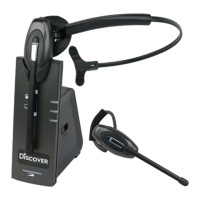
Auto-Talk Option
Auto-talk means that the call will be active once answered as soon as you take the headset o of
the base station, this is default active. You can disable this, so that to make the call active, you
have to press the call accept button on the headset when you are ready to take the call.
Disable Auto-talk feature Put headset on base station
Press the ‘mute’ in the direction of volume down on the
headset for two seconds and the LED on the headset will
blink three times
To test, take the headset o of the base station and the ‘Green TEL Light’ should not activate
unless the call accept/end button on the headset is pressed.
Enable the Auto-talk feature Put headset on base station
Press the ‘mute’ in the direction of volume up on the
headset for two seconds and the LED on the headset will
blink ve times
To test, take the headset o of the base station and the ‘Green TEL Light’ should activate.


 To Next Page