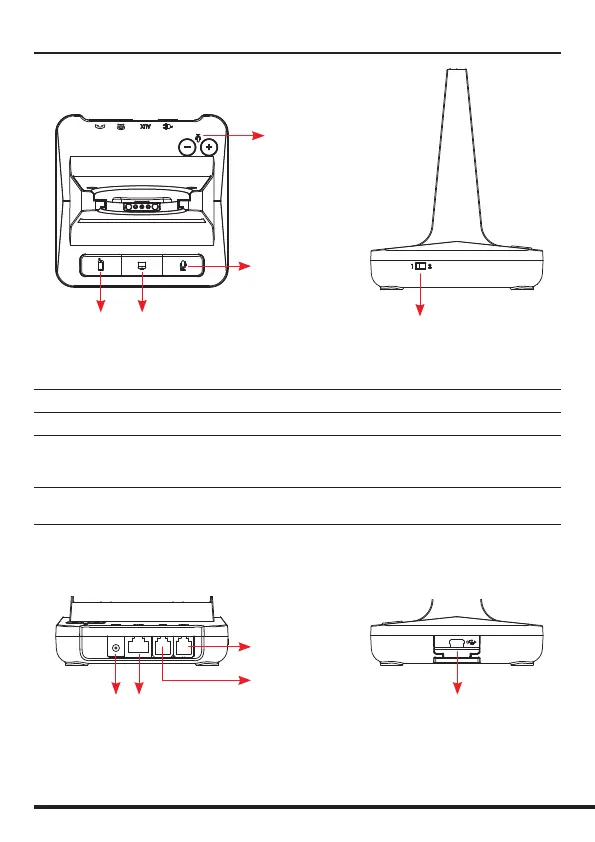
Base Unit
Bluetooth
Pairing
Button
PC/TEL
Selection
Microphone
Mute Button
Microphone
Volume
Compatibility
Switch
Mini USB ‘B’
Cartridge Module
Drawer
Bluetooth Button This function works when the Bluetooth module is inserted
PC/TEL Selection This function works when the USB cartridge is inserted
Microphone Mute Button Press to mute the call
Microphone Volume Your headset has automatic audio conguration, (this can take
a few minutes to settle) however, if required, you can adjust the
volume level for the speakers and microphone to suit
Compatibility Switch Select ‘1’ or ‘2’ until a dial tone is heard via the telephone
connection
DC Jack AUX Port
Handset Port
Telephone Port


 To Next Page