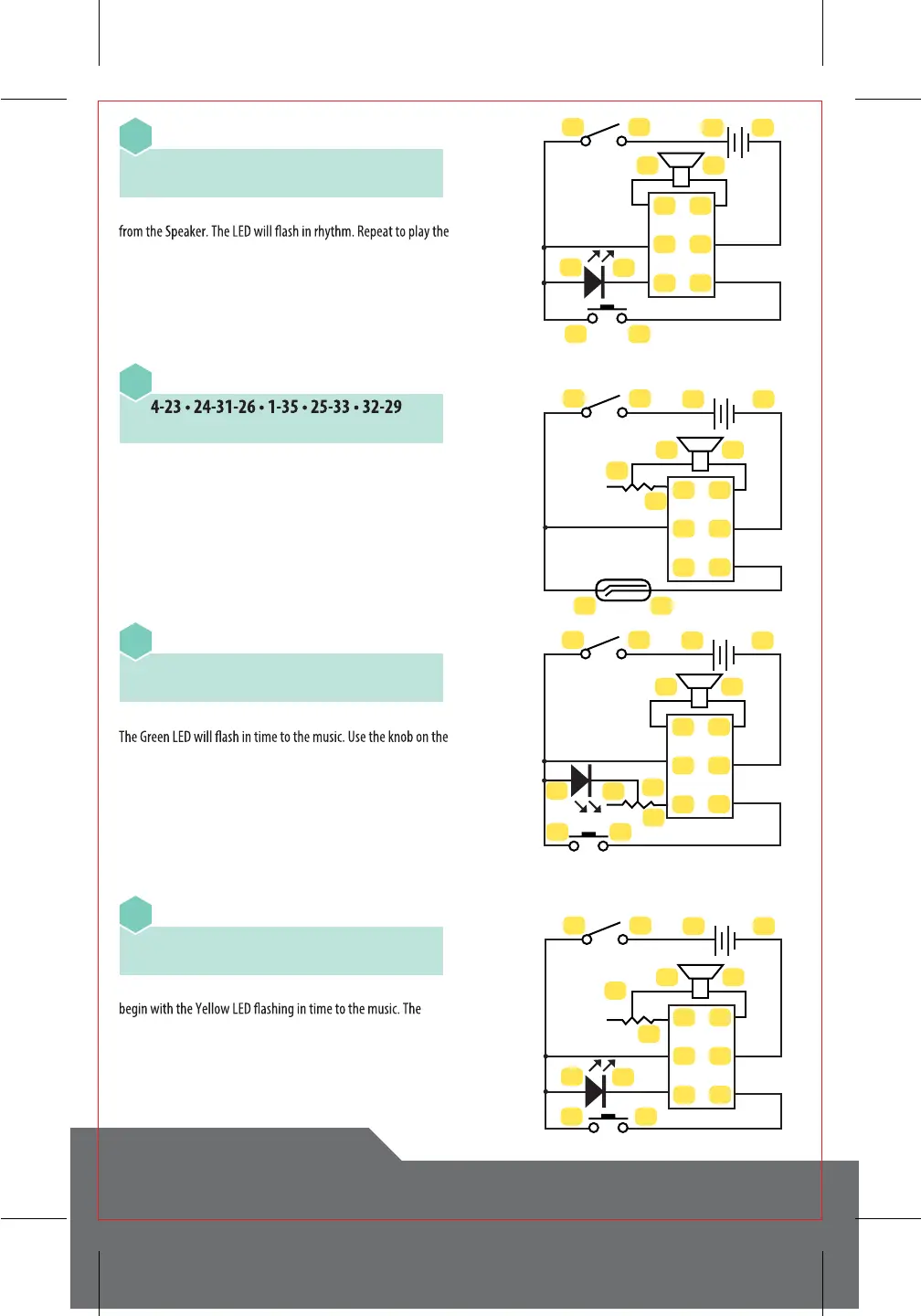
Slide the Main Switch to “on”. Press the Push Switch to play music
next tune.
Turn on the Main Switch. Activate the Reed Switch with the
Magnet. The Speaker will begin playing music. Turning the knob
on the Variable Resister will adjust the volume. After the music has
stopped, activate the Reed Switch again for the next tune.
Slide on the Main Switch. Press the Push Switch to start the music.
Variable Resistor to adjust the LED’s brightness. Pressing the Push
Switch again will play the next tune.
Turn on the Main Switch. Press on the Push Switch. The music will
volume can be controlled by turning the knob on the Variable
Resistor. Pressing the Push Switch again will play the next tune.
CIRCUITRY KEYBOARD
ELECTRONIC CIRCUIT EXPERIMENT KIT
Melody - Manual Control and Flashing LED
4-23 • 24-31-22-6 • 2-32 • 1-35 • 5-30
33-21 • 34-3
20
Melody - Magnet Control and Adjustable Volume
21
Melody - Manual Control and Adjustable LED
4-23 • 24-31-22-12 • 32-2 • 1-35 • 11-28
29-30 • 33-21 • 34-3
28-2 • 34-3
22
Melody - Flashing LEDs and Volume Control
4-23 • 24-31-10-22 • 2-28 • 9-30 • 21-33
32-29 • 35-1 • 34-3
23
34
2324
5
6
2122
12
30
31
32
33
34
35
28
29
34
2324
2526
12
30
31
32
33
34
35
28
29
34
2324
11
12
12
30
31
32
33
34
35
2122
34
2324
9
10
28
29
2122
1
2
30
31
32
33
34
35



 To Next Page