
EasyManua.ls Logo

Discrete Wireless MARCUS 3G GPRS - User Manual

Discrete Wireless MARCUS 3G GPRS
20 pages
Print Icon
To Next Page IconTo Next Page
Loading...
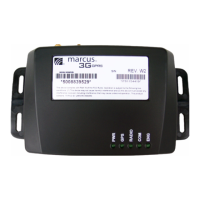
MARCUS
®
3G GPRS Radio Module
MARCUS® 3G Rev W2
Radio Module
Installation Manual

Questions and Answers

  • O
    oadamsAug 10, 2025
    What to do if my Discrete Wireless Control Unit vehicle will not appear on the website?
    • C
      Christopher AllenAug 10, 2025
      If your vehicle is not appearing on the website, ensure the PWR, GPS, and COM lights are solid green. Verify the ENG light turns on and off as the engine is turned on and off. Check if the RADIO light flickers when the engine is turned on or off. Confirm the mobile unit has power. Also, make sure you are viewing the correct mobile on the MARCUS Application website. Check the antenna connections and placement. Finally, drive the vehicle, ensuring you reach speeds of over 30mph for more than two minutes.
  • D
    Diana RobinsonAug 26, 2025
    How to troubleshoot a Discrete Wireless MARCUS 3G GPRS module that will not power up?
    • A
      Angela PierceAug 26, 2025
      If the module will not power up, check the connection to the power supply. Also, check the fuse holder for voltage, and use a voltmeter to ensure there are 12 volts on the red power wire at the plug end. Ensure the unit is properly grounded to a non-painted metal surface (chassis ground).

Discrete Wireless MARCUS 3G GPRS Specifications

General IconGeneral
BrandDiscrete Wireless
ModelMARCUS 3G GPRS
CategoryControl Unit
LanguageEnglish