Table of Contents
Quick Setup
Confirm Your Receiver Model ...............................................S-1
Install Your Selected Key .......................................................S-2
Insert the Batteries.................................................................S-2
Making the Remote Work with Your Receiver .......................S-3
Program the Remote to Control Your TV...............................S-4
Programming the Recover Button for TV2 Operation............S-5
Placing Your Remote in Limited Mode...................................S-6
Operation
If You Lose Your Picture ........................................................S-6
SAT Mode ..............................................................................S-7
TV Mode ................................................................................S-8
VCR Mode .............................................................................S-9
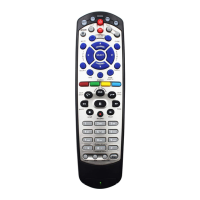
Remote Control Overview......................................................... 1
Using the Guide ........................................................................ 1
Remote Control Modes............................................................. 1
How the Remote Communicates .............................................. 2
Programming for Other Equipment........................................... 2
Combination Equipment (for example, TV/VCR) ...................... 2
Limited Mode ............................................................................ 3
Fixed Channel Mode................................................................. 3
Setting (or Changing) Fixed Channel Mode for TV/VCR .......... 3
Removing Fixed Channel Mode for TV/VCR ............................ 3
Programming Using Equipment Code Tables........................... 4
Scanning for Equipment Codes ................................................ 6
Switching Between TV and Amplifier Volume
Control ................................................................................ 7
Programming the Remote to Control a Second Receiver
in AUX Mode ...................................................................... 8
Reading Out the Remote Control Codes .................................. 9
Discrete Codes for Learning Remotes.....................................11
Avoiding Remote Conflicts...................................................... 12
Changing the Remote and Receiver Address ........................ 12
Changing the UHF Frequency Using the A/B Switch—
DISH Player-DVR 942, Duo ViP
®
222,
DuoDVR™ ViP
®
622 DVR, and
DuoDVR™ ViP
®
722 DVR Only ...................................... 13
Setting Up a TV1 UHF Pro Remote for the
DuoDVR™ 522 and DuoDVR™ 625 Only ....................... 14
Equipment Codes ................................................................... 16
Troubleshooting ...................................................................... 24
Limited Warranty..................................................................... 26
Your Remote Control Codes..........................Inside Back Cover














 To Next Page