Page 79
Control Other Devices with the Remote Controls
VCR Buttons
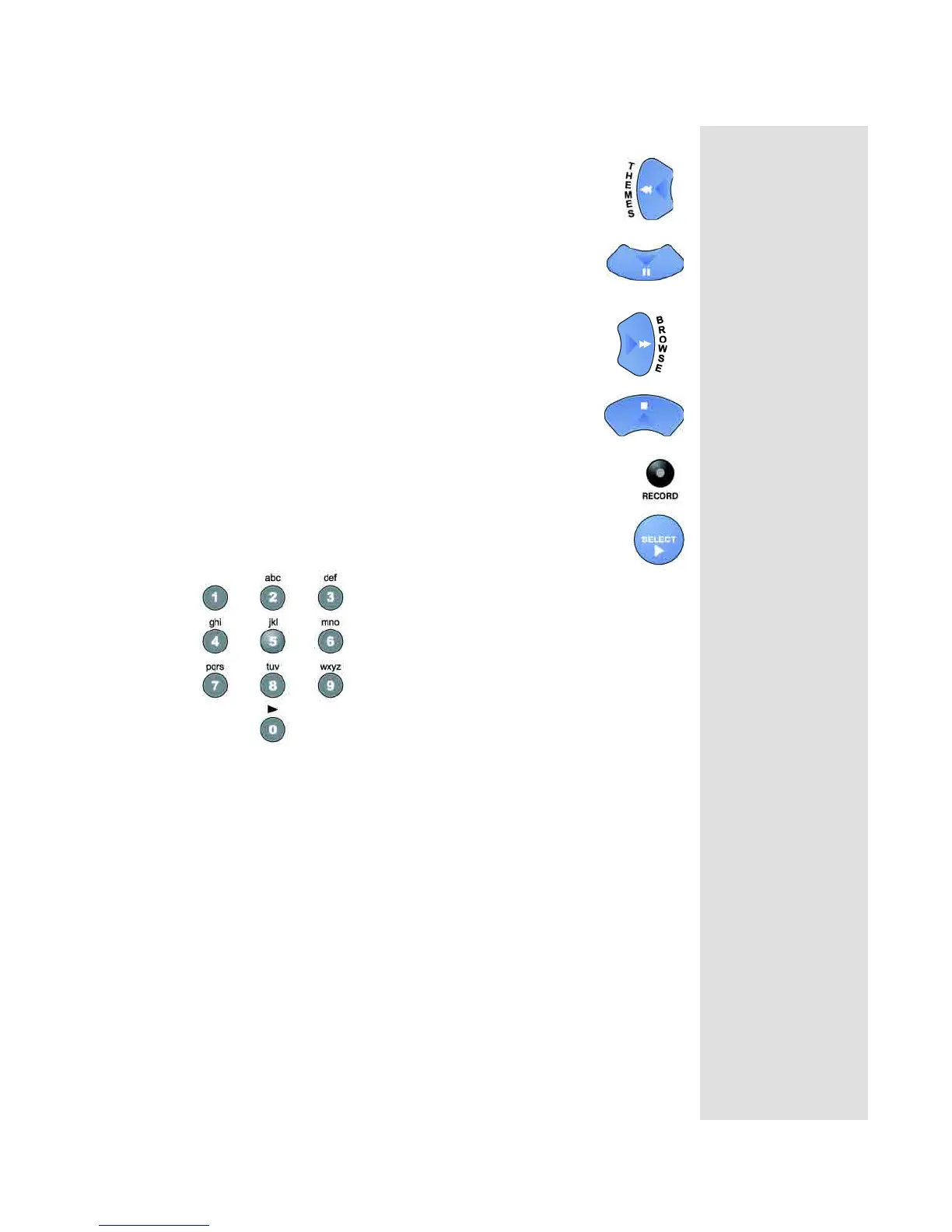
•Press the LEFT ARROW button to rewind a videotape
or DVD.
•Press the DOWN ARROW button to pause a
videotape or DVD. Press this button or the PLAY
button to go back to playing the tape or DVD.
•Press the RIGHT ARROW button to fast forward a
videotape or DVD.
•Press the STOP button to stop playing or recording
on a videotape or DVD.
•Press the RECORD button to record on a videotape.
•Press the SELECT button to play or to go back to playing
a videotape or DVD.
Number Buttons
Use the NUMBER buttons to enter channel numbers.
Note: If you are using the remote control in limited mode, the VCR will not
change channels.










 To Next Page