VCR (VideoCassette Recorder) Mode
104333 11
M
UTE
B
UTTON
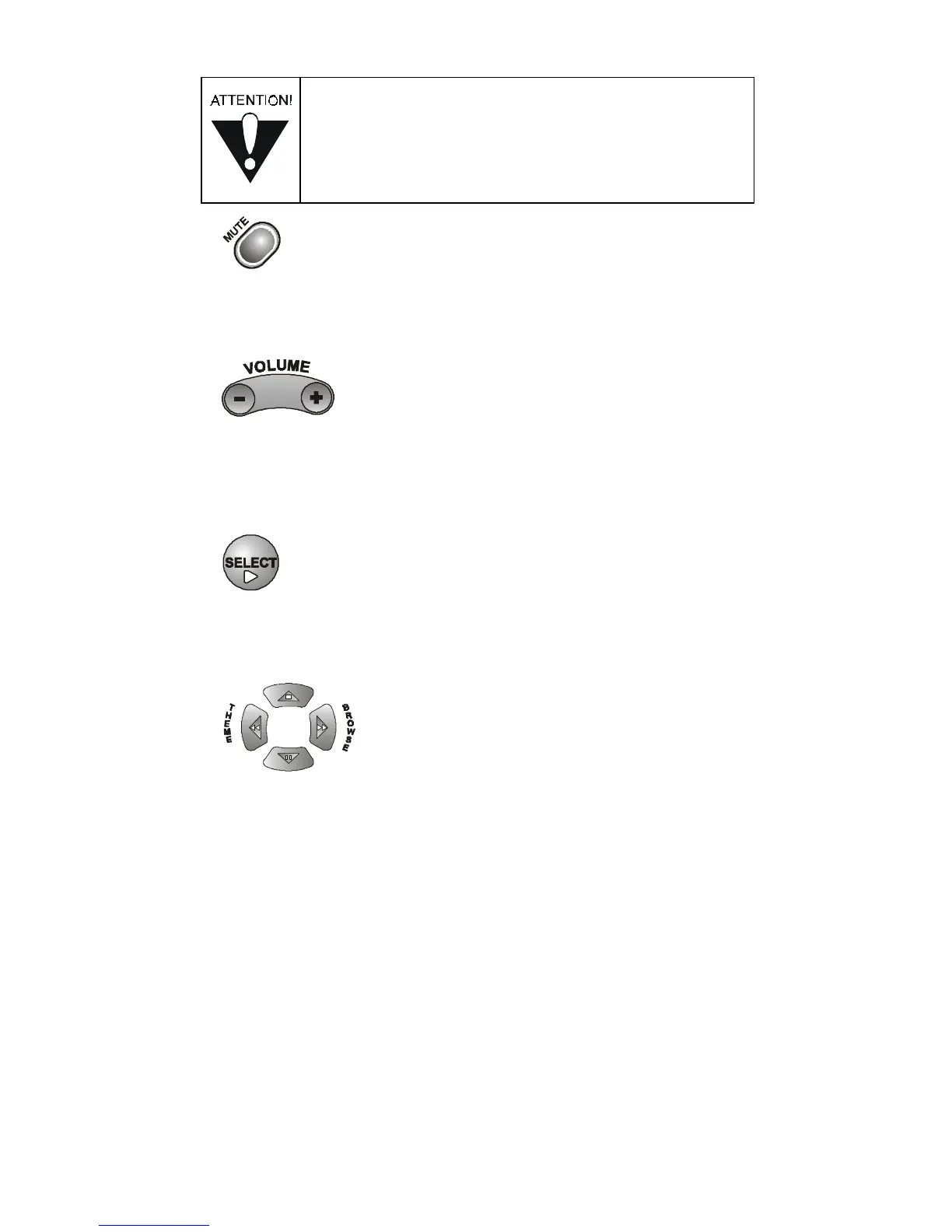
Press this button to turn off the sound. Press it again to restore
the sound.
V
OLUME
B
UTTON
Press the left-hand, minus (-) side of this button to lower the sound
volume. Press the right-hand, plus (+) side of this button to raise
the sound volume.
S
ELECT
B
UTTON
The Select button works as the Play button. Press this button
to play or to resume playing a videotape.
U
P
/D
OWN
/L
EFT
/R
IGHT
(A
RROW
) B
UTTONS
• The Up arrow button works as the Stop button.
Press this button to stop a videotape.
• The Down arrow button works as the Pause button.
Press this button to pause a videotape. Press this button or the
Select button (Play) to restart the tape.
• The Left arrow button works as the Rewind button.
Press this button to rewind a videotape.
• The Right arrow button works as the Fast Forward button.
Press this button to forward a videotape.
You must set the remote control to VCR mode
to set it up to control a DVD player. You must set
the remote control to VCR mode to use it to control
a DVD player.













 To Next Page