Page 5
Table 2. Software Required for Dual-Tuner Receiver Installation
Remove the temporary cable used for peaking the dish. Thread the cable(s) from the receiver(s)
through the LNBF arm and 119°W slot of the W-Bracket. Connect these cables to
PORT 1 and
PORT 2, as applicable.
Thread the loose end of the 5-1/2 foot long cable through the LNBF arm and 110°W slot of the W-
Bracket. Connect to the
LNB IN port on the DISH Pro Plus Twin LNBF. Attach the DISH Pro Plus
Twin LNBF to the W-Bracket with two screws.
Note: Make sure to loop the 5-1/2 foot long cable in a circle as shown in Figure 1 on page 2.
Connect the receiver(s) to the TV(s) and display the
System Information screen (for most receivers,
press MENU-6-1-3 on the remote control). Make sure the software version meets the requirements
on the Table 2. If the receiver has older software, go to Special Downloading Instructions on page 7.
If the receiver has the required software, continue on to the next step in this procedure.
Receiver Software Version
DISH 322 L054 or later or current download
DISH Player-DVR 522 L059 or later or current download
DISH 721 Current download
DISH Player-DVR 921 L052 or later or current download
Legacy Tuners All
Single Tuner DISH Pro Receivers All
DISH Player-DVR 625, DISH Player-DVR 942, and future DISH Pro Plus Dual-Tuner
Receivers
All
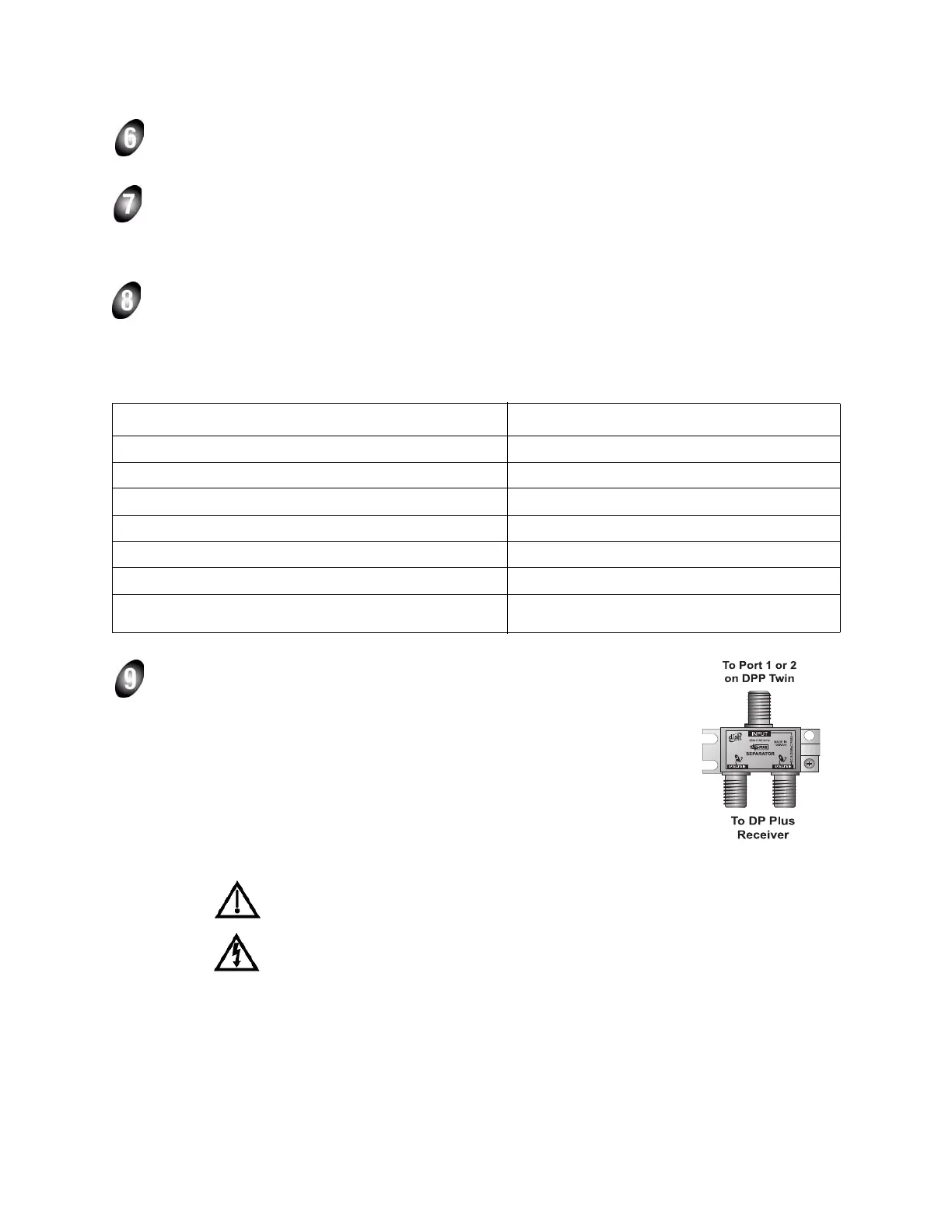
Connect a cable from DISH Pro Plus Twin LNBF PORT 1 (or PORT 2) to a
DISH Pro or DISH Pro Plus satellite receiver’s
SATELLITE IN connection(s)
(a Legacy receiver will be installed later in this procedure, if necessary). For
DISH Pro Plus dual-tuner receivers with a single cable, install a DISH Pro
Plus Separator as follows:
a. Connect a cable from the DISH Pro Plus Twin LNBF output (
PORT
1
or PORT 2) to the DISH Pro Plus Separator Input.
b. Connect cables between the receiver’s
SATELLITE IN 1 and
SATELLITE IN 2 to PORTS 1 and 2 respectively on the DISH Pro Plus
Separator.
You must use a DISH Pro Plus Separator in this installation. A splitter or other
device will not work in this configuration.
Tighten all indoor coaxial cable connections to the receiver only by hand. If you
use a wrench, you may over-tighten the connections and damage your equipment.



 To Next Page