EasyManua.ls Logo

Dish Network Tailgater - User Manual

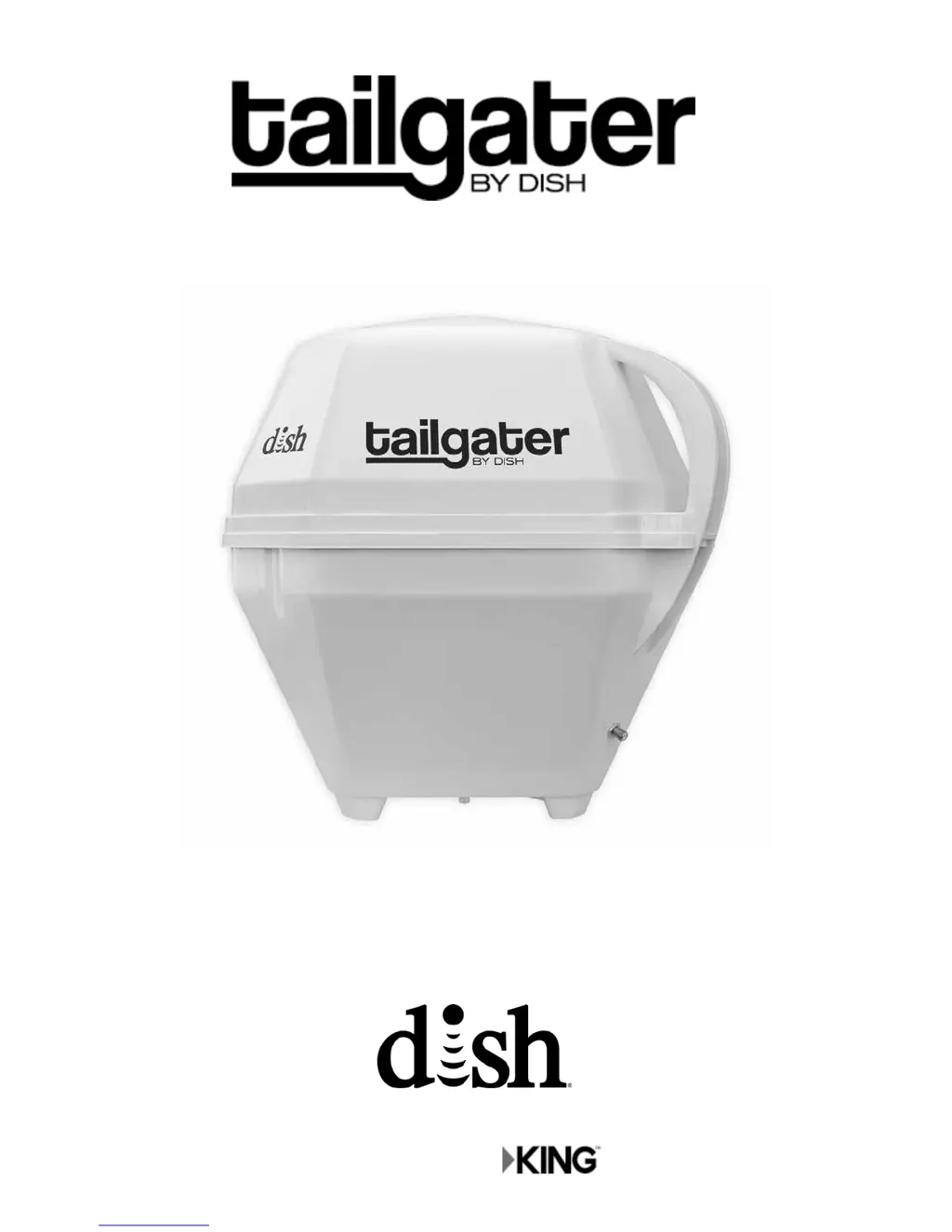
Dish Network Tailgater
24 pages
Print Icon
To Next Page IconTo Next Page
Loading...
Users Guide
Manufactured by
To subscribe to programming or for assistance with using the Tailgater,
visit www.mydish.com/tailgater or call 1-800-333-DISH (3474).
Refer to www.mydish.com/tailgater for additional information regarding equipment used with this product.
®

Other manuals for Dish Network Tailgater

Questions and Answers

  • T
    Timothy SandersSep 23, 2025
    Why does my Dish Network Tailgater say programming not authorized?
    • T
      Thomas PerrySep 23, 2025
      If you're getting a 'Programming Not Authorized' error (005/013/014) on your Dish Network Antenna, you might not be subscribed to the channels you're trying to view, or your receiver hasn't been connected to a signal for a while. First, confirm your subscription status at dish.com/mychannels. Then, unplug the receiver's power cord for 10 seconds, plug it back in, and allow up to 5 minutes for it to power back on. You can also call 800-333-DISH (3474), select TECH, and enter the error number when prompted to send an activation command to your receiver.
  • D
    Dawn PowellAug 23, 2025
    What to do if my Dish Network Satellite TV System says 'No Satellites Found - 151'?
    • S
      stoneandreaAug 23, 2025
      If your Dish Network Satellite TV System displays 'No Satellites Found - 151', it's likely due to obstructions blocking the Tailgater's view of the southern sky, such as tree branches or heavy rain, or a poorly connected coax cable. To resolve this: * Ensure the Tailgater has a clear view of the southern sky. * Check and tighten the coax cable connecting the receiver and Tailgater. * Unplug the receiver's power cord for 10 seconds, then plug it back in and allow up to 5 minutes for it to power back on.
  • D
    Danny KhanAug 25, 2025
    What causes 'Partial Signal Loss - 002' on Dish Network Satellite TV System?
    • D
      Denise HarperAug 25, 2025
      If your Dish Network Satellite TV System is showing partial signal loss (error 002), it's likely due to obstructions blocking the Tailgater's view of the southern sky, such as tree branches or severe rain. To fix this: * Ensure the Tailgater has a clear view of the southern sky. * Check that the coax cable is properly connected and hand-tightened. * Try changing channels to see if live video is available on other channels. * Unplug the receiver for 10 seconds, then plug it back in and allow up to 5 minutes for it to power back on.
  • P
    Patricia AlexanderAug 27, 2025
    What to do if my Dish Network Satellite TV System says 'All Satellites Not Found - 150'?
    • G
      Gina FischerAug 27, 2025
      If your Dish Network Satellite TV System displays 'All Satellites Not Found - 150', it's generally caused by obstructions blocking the Tailgater's view of the southern sky or being outside the orbital slot's footprint. Try these steps: * Ensure the Tailgater has a clear view of the southern sky. * Unplug the receiver for 10 seconds, then plug it back in, allowing up to 5 minutes to power back on.
  • S
    Samantha CooperAug 27, 2025
    How to resolve 'Channel Signal Loss - 004' on Dish Network Satellite TV System?
    • J
      Jason StarkAug 27, 2025
      If your Dish Network Satellite TV System has channel signal loss (error 004), it means the Tailgater hasn't tracked to the correct orbital slot after a channel change. To resolve this: * Unplug the receiver for 10 seconds, then plug it back in, allowing up to 5 minutes to power back on. * Go to the Mobile Antenna Setup Screen and verify the correct state is selected. * Highlight “Scan” and press SELECT. Allow a few minutes for the system to find the satellites, download the program guide, and acquire a signal.
  • K
    Katie WilsonSep 18, 2025
    What to do if guide information is not available on Dish Network Antenna?
    • M
      Marco JonesSep 18, 2025
      If guide information isn't available on your Dish Network Antenna, your receiver may not have been powered off at night to receive the updates, or it hasn't acquired the necessary signal. Unplug the receiver's power cord for 10 seconds, then plug it back in, and allow up to 5 minutes for it to power back on. Also, on the Portable Antenna Setup Screen, verify the correct state is selected, highlight "Scan" and press SELECT. Allow a few minutes for your system to find its satellites, download the electronic program guide and acquire signal.
  • C
    connie65Sep 15, 2025
    What causes 'All Satellites Not Found' on a Dish Network Antenna?
    • W
      Wanda FoxSep 15, 2025
      If your Dish Network Tailgater cannot find all satellites (error 150), this may be caused by obstructions blocking the Tailgater's view of the southern sky, such as tree branches or heavy rain. It's also possible that your physical location is outside the footprint of the desired orbital slot. Ensure there are no obstructions. Unplug the power cord of your receiver for 10 seconds, then plug it back in, and allow up to 5 minutes for your receiver to power back on.
  • T
    Taylor BurnsSep 16, 2025
    Why is there no program guide on my Dish Network Tailgater Antenna?
    • K
      Kristin OwensSep 16, 2025
      If you're not getting a program guide (error 023) on your Dish Network Antenna, your receiver might not have acquired the signal needed to access it. Unplug the receiver's power cord for 10 seconds, then plug it back in, and allow up to 5 minutes for it to power back on. Also, on the Portable Antenna Setup Screen, verify the correct state is selected, highlight "Scan" and press SELECT. Allow a few minutes for the system to download the electronic program guide and acquire signal.
  • M
    Michael SmithSep 6, 2025
    Why are channels missing on my Dish Network Satellite TV System?
    • P
      philip93Sep 6, 2025
      If your Dish Network Satellite TV System is missing channels, it could be due to a few reasons. The electronic program guide may not be set to “My Channels,” or you might not have the necessary orbital slots for the missing programming. Here's how to troubleshoot: * Press the GUIDE button twice and select “My Channels”. * Verify your subscription for the missing channel at dish.com/mychannels. * Perform a check switch test by pressing MENU, then 6-1-1, and selecting “Scan”. Allow a few minutes for the system to download the program guide and acquire a signal. Finally, unplug the receiver for 10 seconds, then plug it back in and wait up to 5 minutes.
  • M
    Megan AdamsSep 3, 2025
    How do I fix missing over-the-air antenna channels on my Dish Network?
    • L
      Lisa EricksonSep 4, 2025
      If you're missing over-the-air antenna channels (Error 739) on your Dish Network, the reception quality and available channels depend on the Tailgater's placement, your location, and weather conditions. Ensure the wiring between your DISH receiver and the over-the-air antenna is correctly configured. Unplug the receiver's power cord for 10 seconds, then plug it back in, and allow up to 5 minutes for it to power back on. Re-scan over-the-air antenna channels by pressing MENU then 6-8 to access the local channels screen, and select "Scan Locals."

Summary

Introduction

Important Safety Instructions

Tailgater Package Contents

About Satellite TV Reception

About Signal Loss

Explains potential signal strength issues due to the portable antenna size.

Obstructions Impacting Signal

Details how obstructions impact signal reception and placement tips.

Rain and Snow Fade Effects

Describes how weather can affect satellite signals and programming.

Connect Receiver to TV

Tailgater Setup

Hand-Tighten Coax Connections

Instructions on connecting coax cables, emphasizing hand-tightening.

Tailgater Operation

Security

Proper Care of Your Equipment

Troubleshooting

Complete Signal Loss

Addresses issues related to no satellite signal, possibly due to obstructions.

No Satellites Found

Explains causes for the receiver not detecting any satellites.

Partial Signal Loss

Covers scenarios of weak or intermittent satellite signal reception.

Remote Control Not Working

Provides steps to resolve issues with the receiver's remote control.

Manufacturers Limited Warranty

FCC Guidelines

Dish Network Tailgater Specifications

General IconGeneral
BrandDish Network
ModelTailgater
CategoryAntenna
LanguageEnglish

Related product manuals