17
Symptom/Message Possible Cause Troubleshooting
Guide Information Not
Available
Your receiver was not powered off at
night to receive the nightly electronic
program guide updates.
Your receiver has not yet acquired
signal needed to gain access to the
electronic program guide.
1) Unplug the power cord of your receiver for 10
seconds and plug it back in. It may take up to
5 minutes for your receiver to power back on.
2) On the Mobile Antenna Setup Screen:
• Verify the correct state is selected.
• Highlight “Scan” then press SELECT.
• Once your system has found its satellites,
it may take a few minutes to download the
electronic program guide and acquire signal
before live TV appears.
Guide Time is Incorrect The guide time may be incorrect
if your receiver is not physically
located at the address listed on your
DISH account.
The guide time will be incorrect if
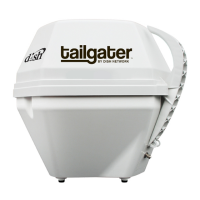
you are using the Tailgater in an
area with a different time zone than
the address listed on your DISH
account.
N/A
Video Pixels / Audio Pops Obstructions to the Tailgater’s view
of the southern sky, such as tree
branches, severe rain, etc.
Your receiver’s signal is low.
1) Make sure nothing is blocking the Tailgater’s
view of the southern sky, such as tree
branches, severe rain, or other obstructions.
2) Unplug the power cord of your receiver for 10
seconds and plug it back in. It may take up to
5 minutes for your receiver to power back on.
3) Check that the coax cable between your
receiver and the Tailgater is connected
properly.


 To Next Page