■
Adjusting the light intensity
The Flash mode has two light intensity settings. If you are using
an SLR or other high-end camera, you can adjust exposure by
setting the exposure mode to manual and calibrating the aperture
(f-number). If you are using a camera that cannot perform manual
exposure such as a compact point-and-shoot camera, you can
still adjust exposure by using the exposure correction function in
auto mode. However, overexposure is possible in cases where
the shooting distance makes correction dicult, such as in macro
photography. In this case, set the mode dial on the Light Module
to LOW in the Flash mode.
■
Light mode (5-step brightness control)
To adjust light intensity, set the mode dial to the desired setting
between 1 (dark) and 5 (bright). Turn o the camera’s built-in ash
before setting the Light mode.
■
Flash mode (2-step brightness control)
In the Flash mode, a brief (0.3 sec.) burst of light is emitted in
sync with the ring of the camera’s built-in ash. This is useful
when photographing a subject that ees in response to light and
is dicult to capture when using continuous illumination. The light
emission intensity can be chosen from 2 steps (HIGH and LOW).
Adjust the light emission intensity by setting the mode dial to LOW
or HIGH.
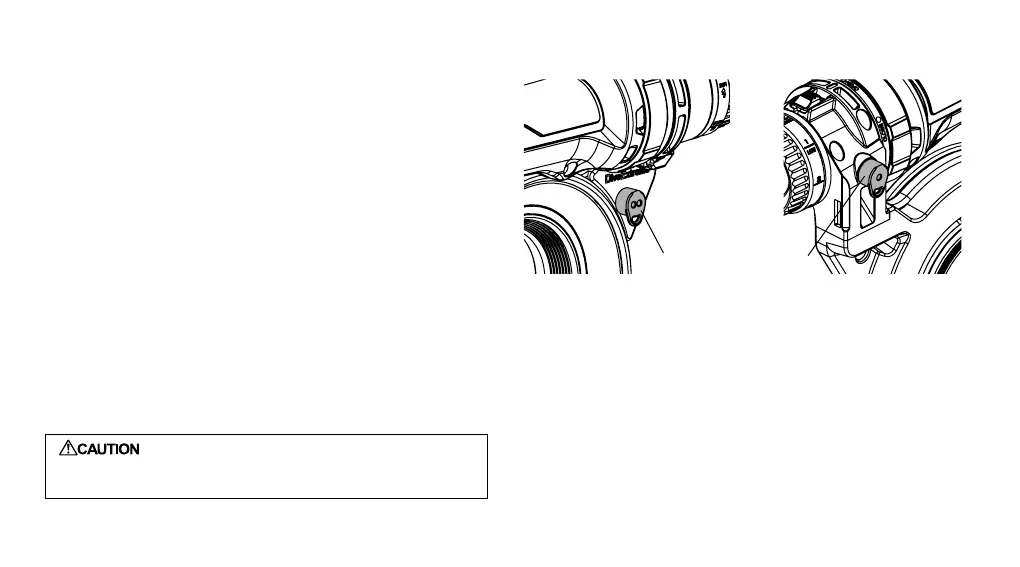
* To minimize light leakage from the built-in ash, put the optical
ber connector cap on the external ash light reception port.
Also cover the ash mode light reception port with the optical
ber connector cap to minimize ring in response to sunlight or
the activation of another ash.
: Since infrared rays are received in the Flash
mode, light emission may occur in response to
sunlight and other light.
Fiber connector cap
59


 To Next Page