1592009540 XW272K_full GB XW272K 1/5
WING
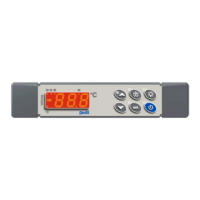
XW272K
1. GENERAL WARNING
1.1 PLEASE READ BEFORE USING THIS MANUAL
• This manual is part of the product and should be kept near the instrument for easy and quick
reference.
• The instrument shall not be used for purposes different from those described hereunder. It cannot be
used as a safety device.
• Check the application limits before proceeding.
1.2
SAFETY PRECAUTIONS
• Check the supply voltage is correct before connecting the instrument.
• Do not expose to water or moisture: use the controller only within the operating limits avoiding sudden
temperature changes with high atmospheric humidity to prevent formation of condensation
• Warning: disconnect all electrical connections before any kind of maintenance.
• Fit the probe where it is not accessible by the End User. The instrument must not be opened.
• In case of failure or faulty operation send the instrument back to the distributor or to “Dixell s.r.l.” (see
address) with a detailed description of the fault.
• Consider the maximum current which can be applied to each relay (see Technical Data).
• Ensure that the wires for probes, loads and the power supply are separated and far enough from each
other, without crossing or intertwining.
• In case of applications in industrial environments, the use of mains filters (our mod. FT1) in parallel
with inductive loads could be useful.
2. GENERAL DESCRIPTION
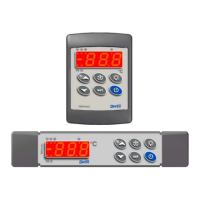
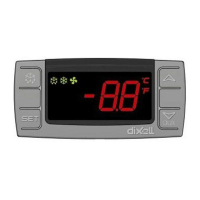
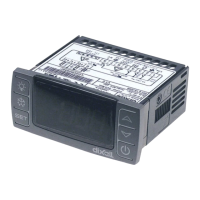
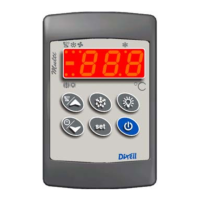
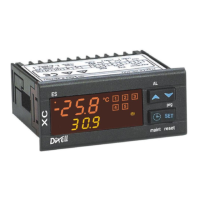
Model XW272K is microprocessor based controller suitable for applications on medium or low temperature
refrigerating units. It must be connected by means of a two-wire cable (∅ 1mm) at a distance of up to 30
meters to the keyboard T620. It is provided with six relay outputs to control two compressors, defrost - which
can be either electrical or hot gas - the evaporator fans, the lights and the alarm. It is also provided with
three NTC probe inputs, one for temperature control, one to control the defrost end temperature of the
evaporator and the third, optional, for the display. There are two digital inputs (free contact) for the door
switch and configurable by parameter.
The standard TTL output allows the user to connect, by means of a TTL/RS485 external module, a
ModBUS-RTU compatible monitoring system and to programme the parameter list with the “Hot Key”. A
4÷20 mA output to control evaporator or condenser fans and the direct serial output RS485 are available as
options.
3. CONTROLLING LOADS
3.1 THE COMPRESSOR
The regulation is performed according to the temperature measured by the thermostat probe with a positive
differential from the set point: if the temperature increases and reaches set point plus differential the
compressor is started and then turned off when the temperature reaches the set point value again.
In case of fault in the thermostat probe the start and stop of the compressor are timed through parameters
“COn” and “COF”.
3.2 SECOND COMPRESSOR
The second compressor is switched ON after a delay (AC1) of the first compressor activation. Compressors
can be switched ON always with the same sequence or in an alternate way.
CCO = Se : The first compressor is always switched on before the second one.
CCO = Al : The compressors are switched on in an alternate way.
3.3 FAST FREEZING
When defrost is not in progress, it can be activated the keypad by holding the è key pressed for about 3
seconds. The compressor operates in continuous mode for the time set through the “CCt” parameter. The
cycle can be terminated before the end of the set time using the same activation key, è for about 3
seconds.
3.4 DEFROST
Three defrost modes are available through the “tdF” parameter: defrost with electrical heater, hot gas or
thermostatic defrost. The defrost interval is control by means of parameter “EdF”: (EdF=in) the defrost is
made every “IdF” time, (EdF=Sd) the interval “IdF” is calculate through Smart Defrost algorithm (only when
the compressor is ON and the evaporator temperature is bigger than “SdF” parameter).
At the end of defrost the drip time is controlled through the “Fdt” parameter.
3.5 CONTROL OF EVAPORATOR FANS
The fan control mode is selected by means of the “FnC” parameter:
C-n = running with the compressor, OFF during the defrost;
C-y = running with the compressor, ON during the defrost;
O-n = continuous mode, OFF during the defrost;
O-y = continuous mode, ON during the defrost;
An additional parameter “FSt” provides the setting of temperature, detected by the evaporator probe, above
which the fans are always OFF. This can be used to make sure circulation of air only if his temperature is
lower than set in “FSt”.
4. KEYBOARD
To display and modify target set point; in programming mode it selects a parameter or
confirm an operation.
By holding it pressed for 3s when max or min temperature is displayed it will be erased.
To see the max. stored temperature; in programming mode it browses the parameter
codes or increases the displayed value.
By holding it pressed for 3s the fast freezing cycle is started.
To see the min stored temperature; in programming mode it browses the parameter
codes or decreases the displayed value.
By holding it pressed for 3s the defrost is started.
Switch ON and OFF the cold room light.
Switch ON and OFF the instrument.
KEY COMBINATIONS
+
To lock and unlock the keyboard.
+
To enter the programming mode.
+
To exit the programming mode.
4.1 USE OF LEDS
Each LED function is described in the following table.
LED MODE FUNCTION
ON The compressor is running
FLASHING
- Programming Phase (flashing with LED
)
- Anti-short cycle delay enabled
ON The fan is running
FLASHING
Programming Phase (flashing with LED
)
ON The defrost is enabled
FLASHING Drip time in progress
ON The Fast Freezing cycle is enabled
ON
- ALARM signal
- In “Pr2” indicates that the parameter is also present in “Pr1”
Function of the LEDs placed on the left top side of buttons:
BUTTON MODE FUNCTION
SET FLASHING The Set point is displayed and it can be modified
SET FAST FLASHING The Energy Saving is enabled
DEFROST ON The Manual Defrost is activated
LIGHT ON The Light is ON
ON/OFF ON The instrument is OFF
4.2 HOW TO SEE THE MIN TEMPERATURE
1.
Press and release the à key.
2.
The “Lo” message will be displayed followed by the minimum temperature recorded.
3.
By pressing the à key or waiting for 5s the normal display will be restored.
4.3 HOW TO SEE THE MAX TEMPERATURE
1.
Press and release the è key.
2. The “Hi” message will be displayed followed by the maximum temperature recorded.
3.
By pressing the è key or waiting for 5s the normal display will be restored.
4.4 HOW TO RESET THE MAX AND MIN TEMPERATURE RECORDED
To reset the stored temperature, when max or min temperature is displayed :
1. Press SET key until “rST” label starts blinking.
N.B. After the installation RESET the temperature stored .

 Need help?
 General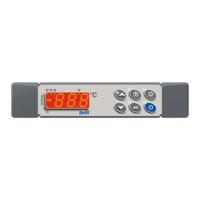

 To Next Page