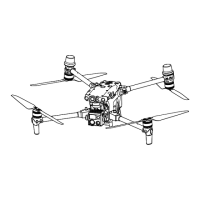
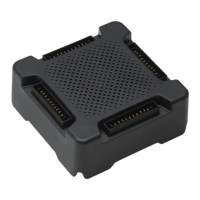
This document provides a comprehensive guide for updating the firmware of DJI M300 RTK and M350 RTK aircraft, along with their associated components, to ensure compatibility and optimal performance. The guide is essential for users to understand the correct procedures and precautions to avoid potential issues during the update process.
The primary function of this guide is to explain the compatibility requirements between the M300 RTK/M350 RTK aircraft, DJI payloads, remote controllers (DJI Smart Controller Enterprise, DJI RC Plus), Intelligent Battery Stations (BS60, BS65), and Intelligent Flight Batteries (TB60, TB65). It outlines the necessary steps to update these devices to a compatible firmware version, ensuring they can operate together seamlessly.
Usage Features:
The guide emphasizes several critical usage features and warnings to ensure a successful and safe firmware update:
- Firmware Update Sequence: Users must adhere to a specific update sequence: Remote Controller > Aircraft > DJI Payload > Battery Station > Battery. This order is crucial to prevent compatibility issues and potential device malfunction.
- DJI Assistant 2 (DA2) Requirement: When using DJI Assistant 2 for firmware updates, it is mandatory to download version 2.1.9 or above of the Enterprise Series from the official DJI website. Using an outdated version could lead to update failures or device damage.
- Compatible Firmware Version Definition: The document clarifies that "Compatible Firmware Version" refers to the target version to which the device should be updated, and "Update Method" refers to the specific procedure required for that update.
- Device Abbreviations: For clarity, the guide uses abbreviations: M300 RTK and M350 RTK for the aircraft, Smart Controller for DJI Smart Controller Enterprise, Battery Station for Intelligent Battery Station, and Battery for Intelligent Flight Battery.
- Post-Update Flexibility: Once all devices (aircraft, remote controller, DJI payload, battery station, and battery) have been updated to a compatible firmware version or above using this guide, future firmware updates will not be limited by the specific methods described herein. Users can then refer to the M350 RTK and M300 RTK Accessory Compatibility List for combination and use.
Aircraft and Remote Controller Update:
- Pre-use Compatibility: The aircraft and remote controller must be updated to a compatible firmware version before being used together.
- Battery Requirement for Aircraft Update: When updating the aircraft, the installed batteries must be a pair of TB65 or TB60. It is explicitly stated: "DO NOT use TB65 and TB60 together."
- M300 RTK + RC Plus Specifics: For the M300 RTK + RC Plus combination, the initial update must be performed using the DA2 Offline Update method. Subsequent updates can then utilize App Update All, App Offline Update, or DA2 Firmware Update.
- M300 RTK + Smart Controller Specifics: If an M300 RTK is updated to a version compatible with RC Plus, it cannot be linked or used with a Smart Controller. To revert to using a Smart Controller, the M300 RTK firmware must be updated to v07.00.01.00 using the DA2 Offline Update method.
DJI Payload Update:
- Initial Payload Update: When installing a DJI payload for the first time with an aircraft and remote controller combination, users must follow the update method specified for that particular combination to achieve a compatible firmware version.
- Subsequent Payload Updates: After the initial compatible firmware update, the DJI payload can be updated using any combination of the aircraft and remote controller via App Update All or SD Card Update.
- Gimbal Camera Updates (H20, H20T, H20N, P1, L1): For these gimbal cameras, users must obtain the offline firmware package from the corresponding gimbal camera's download page on the DJI official website and update using the SD Card Update method, following the respective user manual.
- Skyport V2 and X-Port Updates: Once Skyport V2 or X-Port are updated to a compatible version, further updates can be performed with the M350 RTK and RC Plus combination.
Battery Station Update:
- RC Plus Pre-requisite: The RC Plus remote controller must be updated to v01.02.04.40 before it can support updating the firmware for the BS65 and BS60 Battery Stations. This is a critical step to prevent the battery station from becoming permanently unusable.
- BS60 TB65 Compatibility: When updating the BS60 to a compatible firmware version, users must not insert TB65 batteries into the battery station. The BS60 can only support charging and updating TB65 batteries after it has been updated to v07.00.00.01.
Battery Update:
- Aircraft Installation for Updates: In addition to the methods listed in the table, batteries can also be installed in the aircraft for consistent firmware updates.
- TB65 and TB60 Usage: It is explicitly stated: "DO NOT use the TB65 and the TB60 together in the aircraft."
- TB65 Compatibility with M300 RTK: The TB65 battery can only be used when the M300 RTK firmware is v07.00.01.00 or above. Failure to comply will result in flight safety risks.
Maintenance Features (DA2 Offline Update Steps):
The guide provides detailed, step-by-step instructions for performing a DA2 Offline Update, which is a crucial maintenance procedure for ensuring device compatibility:
- Download Firmware Package: Users must visit the official DJI website for M300 RTK (enterprise.dji.com/matrice-300/downloads) and download the aircraft offline firmware package of v57.00.01.00.
- Individual Device Connection: Connect the aircraft to a computer separately, as DJI Assistant 2 does not support updating multiple DJI devices simultaneously.
- Connectivity and Power Requirements: Ensure the computer is connected to the internet and the DJI device is powered on with a battery level higher than 25%.
- Launch and Login: Launch DJI Assistant 2 (v2.1.9 or later) and log in with a DJI account. (Note: M300 RTK does not support the Mac version; a Windows system is required).
- Access Offline Update: Click the "Offline Update" button on the left side of the DJI Assistant 2 interface.
- Select Firmware Package: Select the correct offline firmware package downloaded in Step 1 and click to update. The firmware update will proceed automatically.
- Confirmation: A "Update successful" prompt will appear upon completion.
- RC Plus Linking (Post-Update): After updating, power on the DJI RC Plus remote controller, run DJI Pilot 2, and tap the appropriate icon on the homepage to select MATRICE 300 RTK to link the remote controller to the M300 RTK.
- Clear Device Log (RC Plus): After linking, navigate to the upper left corner of the DJI Pilot 2 homepage, tap "Data and Privacy" > "Clear DJI Device Log" > "Select Device" > Select the aircraft (do not select the remote controller) > Confirm the aircraft is selected, and then "Clear Selected Device Data." After clearing this data, the RC Plus can be used with the M300 RTK.
This comprehensive guide ensures that users can effectively manage and maintain their DJI M300 RTK and M350 RTK systems by providing clear instructions for firmware updates, emphasizing compatibility requirements, and outlining critical precautions.

 Need help?
 General

 To Next Page