On the operation
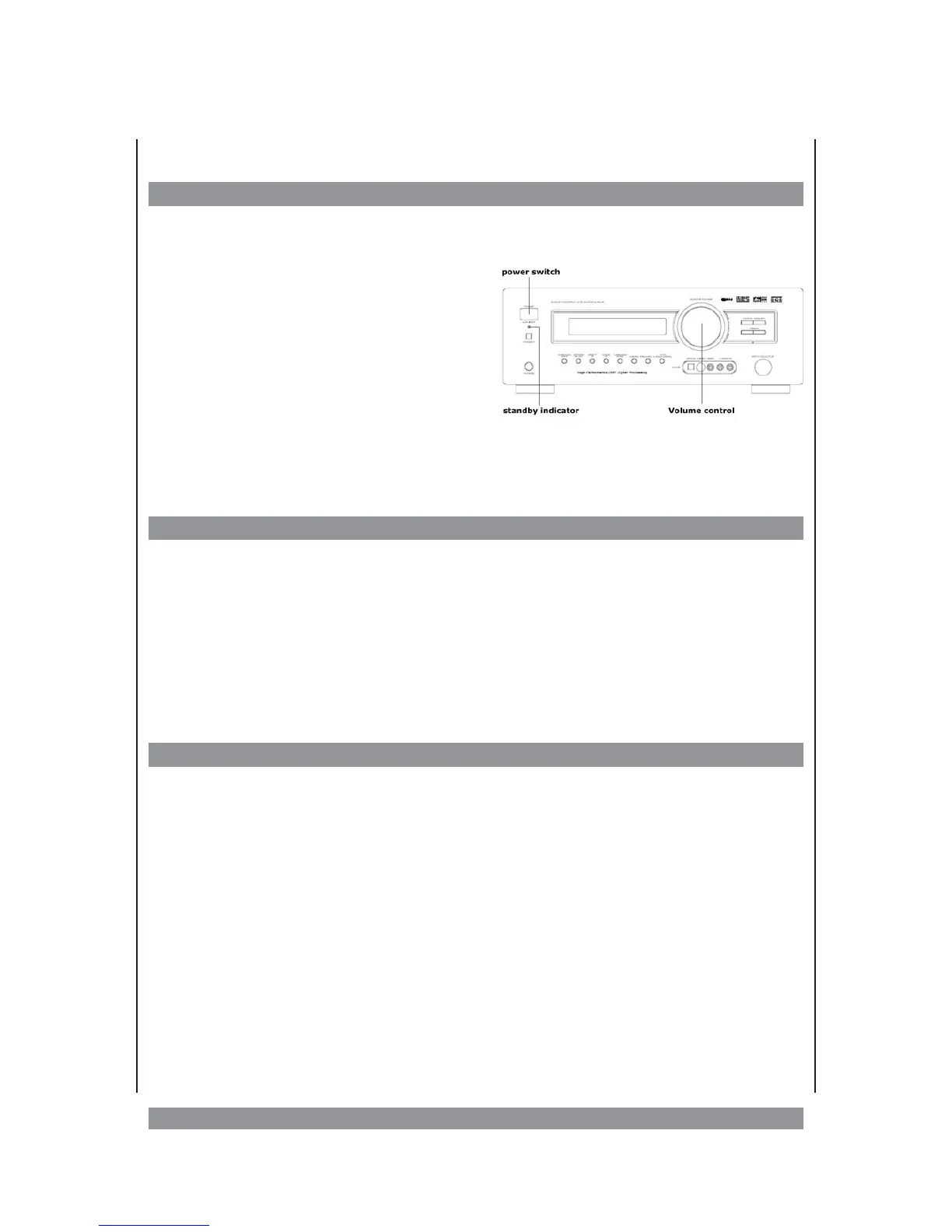
Switching on/off
Ø
Connect the plug of the power cord with a properly connected 230V~ household mains
socket.
Ø
Press the power switch POWER in order to
switch on the device. It is now in standby
mode and the blue indicator lamp is illumina
-
ted.
Ø
Press the STANDBY button at the device or
the POWER button on the remote control to
switch the unit on. If you want to put the unit
into standby mode, press agian one of these
buttons.
Ø
If you want to switch off the device completely, press the POWER switch at the device. In
standby operation, the receiver consumes some energy. Thus, you should switch it off if
you don’t use if for some period of time.
Volume control, muting
Ø
The blue illuminated knob is the volume control which lets you set the overall volume.
Turn the controller clockwise in order to increase the volume. Turn the controller coun-
ter-clockwise in order to decrease the volume. The display shows you the so-called atte-
nuation in dB (decibel): Full volume means a signal attenuated by 0 dB. So the display
shows 0 dB (or MAX VOL). The lowest volume, -90 dB (or MIN VOL) means the maximum
attenuation of the signal. Alternatively, you can control the volume using the VOLUME
+/- keys of the remote control.
Ø
Press the MUTE key of the remote control if you want to mute the tone. Press the key
once again if you want to switch the tone on again.
Selecting inputs and operation modes
Press the key of the desired input channel on the remote control:
TUNER, VIDEO 1/2/3, DVD, AUX, TAPE oder PHONO. Alternatively you can turn the INPUT
SELECTOR at the device to select the input.
On the next page you find a chart that shows you all available input channels. Some of these
channels offer an analogue and digital signal path. You can toggle them using the INPUT
MODE key on the remote control.
Tips:
Ø
Via the input keys, the audio and video signals are switched. If you choose an input that
has no video connection (= Tape / AUX / TUNER / PHONO), the device does not provide a
picture at the video, S-Video, or Component video output.
Ø
We recommend you to reduce the volume before switching to other inputs and to then in
-
crease it again slowly. This protects you from sudden volume fluctuations.
Ø
In the display, the incoming audio format is shown.
15


 To Next Page