EasyManua.ls Logo

DKS 6050 Series - User Manual

DKS 6050 Series
42 pages
Print Icon
To Next Page IconTo Next Page
Loading...
Series 6050 and 6100
Owner’s Manual
Series 6050 and 6100
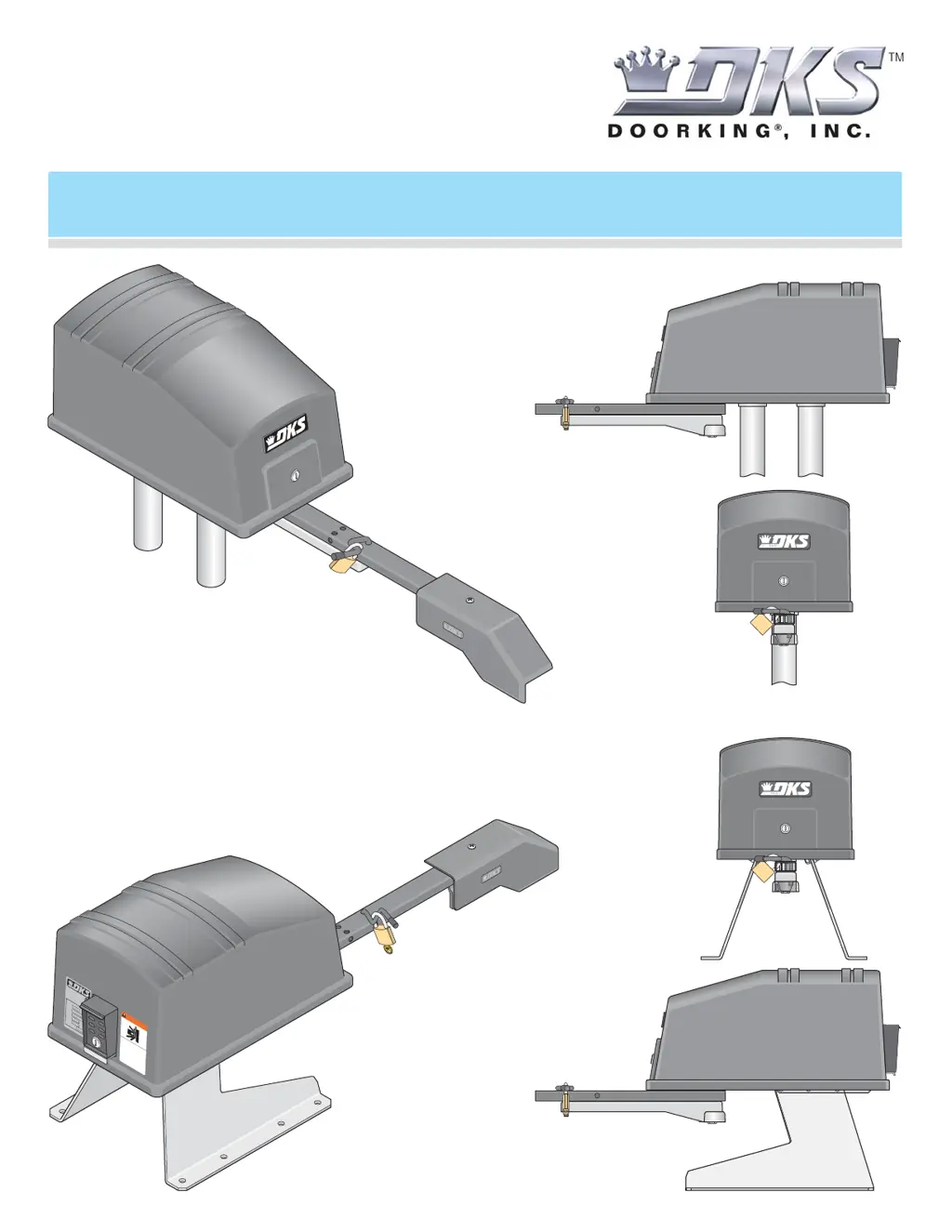
Vehicular Swing Gate Operator
Copyright 2008 DoorKing, Inc. All rights reserved.
W
AR
N
IN
G
M
O
V
I
NG G
AT
E
CA
N
CAU
S
E
O
p
e
r
at
e
g
a
t
e
o
n
l
y
w
h
e
n
g
a
t
e
a
r
e
a
i
s
i
n
s
i
g
h
t
an
d
f
r
e
e
o
f
p
e
o
p
l
e
a
n
d
o
b
s
t
r
u
ct
i
o
n
s
.
D
o
n
o
t
a
l
l
o
w
c
h
i
l
d
r
e
n
t
o
p
l
a
y
i
n
g
a
t
e
ar
e
a
o
r
o
p
e
r
a
t
e
g
a
t
e.
D
o
no
t
s
t
a
n
d
i
n
g
a
t
e
p
a
t
h
o
r
w
a
l
k
t
h
r
o
u
g
h
p
a
t
h
w
h
i
l
e
g
ate
i
s
mo
v
i
n
g
.
R
e
a
d
o
w
n
e
r
s
m
a
n
u
a
l
an
d
s
a
f
e
ty
i
n
s
t
r
u
c
t
i
o
n
s
.
S
E
R
I
O
U
S
I
N
JU
R
Y
O
R
D
E
A
T
H
C
L
AS
S
CE
R
TI
F
I
ED
T
O
CA
N
/
C
SA
C
2
2
.
2
N
O
.
2
4
7
C
O
N
F
O
R
M
S
T
O
A
N
S
I
/
U
L
-
3
2
5
V
E
H
I
C
U
LA
R
G
A
T
E
O
P
E
R
A
T
O
R
H
P
5
3
3
8
2
M
O
D
EL
SE
R
I
A
L
VO
L
T
S
P
H
A
SE
AM
P
S
6
0
H
z
M
A
X
G
A
TE
L
O
A
D
Do
o
r
K
i
n
g
,
I
n
c
.
,
I
n
g
l
e
w
o
o
d
,
C
A

Table of Contents

Other manuals for DKS 6050 Series

Questions and Answers

  • G
    gary97Sep 6, 2025
    Why does my DKS Gate Opener open a short distance, then stop and reverse?
    • L
      larrywilliamsSep 6, 2025
      If your DKS Gate Opener opens a short distance, then stops and reverses, consider the following: * Ensure the clutch is properly adjusted and not slipping. * Disconnect the gate from the operator to check for free movement without binding. * Verify that SW-1, switch 7 is correctly set. * Check the PULSE LED on the circuit board; PULSE 1 should blink when the primary operator runs, and PULSE 2 should blink when the secondary operator runs. If a PULSE LED isn't blinking, ensure the magnetic sensor is within 1/32 inch of the magnetic counter ring. * Consider replacing the magnetic sensor or the circuit board.
  • Q
    qgarzaDec 1, 2025
    What to do if DKS Gate Opener won't run but the power LED is ON?
    • M
      Mrs. Andrea MarshallDec 1, 2025
      If your DKS Gate Opener won't run but the power LED is ON, here's what you can do: * Briefly connect terminal 11 to terminal 20 with a jumper wire. If the input LED doesn't light up, inspect the terminal strip or replace the circuit board. * Remove the circuit board. With the power ON, briefly connect terminal 3 to terminal 4 using a 14 AWG insulated jumper wire. Be cautious – HIGH VOLTAGE. The motor should start running. * With the power ON, briefly connect terminal 3 to terminal 5 using a 14 AWG insulated jumper wire. Be cautious – HIGH VOLTAGE. The motor should run in the opposite direction from the previous step. * If the motor operates in both steps, replace the control board. * If the motor doesn't run, or only runs in one direction, the problem could be a faulty motor, a ...
  • J
    Jordan WalkerNov 25, 2025
    What to do if my DKS 6050 closes but refuses to open?
    • T
      Timothy JimenezNov 25, 2025
      If your DKS Gate Opener closes but won't open, consider these solutions: * The operator might be in a 'soft shutdown.' Check the input LEDs on terminals 11-13. If any are ON, disconnect and reconnect the wire to the respective terminal to see if it opens. * Make sure the operator is running in the correct direction. Turn the power OFF, then back ON, and activate a keying device. * If it runs in the close direction, turn the power OFF and change the direction switch SW 3, switches 1 and/or 2. * Ensure the LED on the control board lights up when the keying device connected to the terminal is activated. * If the LED doesn't light, use a jumper wire from terminal 20 to the input terminal being checked. * If the LED lights and the gate opens, the keying device is the issue. If the ...
  • M
    Mr. Michael Morales MDSep 19, 2025
    What to do if my DKS DC gate opener system will not open gate upon AC power outage?
    • T
      Taylor ClarkSep 22, 2025
      If the DC open system of your DKS Gate Opener will not open the gate upon AC power outage, check if the DC system is set to open the gate automatically or requires an input to open. Ensure the DC system power switch is in the ON position. Check the batteries for proper voltage, and replace them if necessary. If these steps don't resolve the issue, replace the DC system circuit board.
  • T
    Thomas LewisSep 18, 2025
    What to do if the secondary operator motor of my DKS Gate Opener will not run?
    • M
      Ms. Sarah BerrySep 18, 2025
      If the secondary operator motor of your DKS Gate Opener will not run, ensure that SW-1, switches 5 and 7 are OFF and SW-2, switches 2 and 4 are ON. Remove the circuit board and momentarily jumper terminal 3 to one of the secondary motor terminals, then to the other secondary motor terminal with a 14 AWG insulated jumper wire. The secondary motor should run one way, then the other way as power is applied to each terminal. If the secondary motor runs in both directions, replace the control board. If the secondary motor does not run, or runs in only one direction, the problem can be in the wiring from the primary to the secondary operator, a bad secondary motor, or a motor capacitor.
  • R
    Robert ComptonSep 15, 2025
    How to troubleshoot a DKS Gate Opener that won't run with the power LED OFF?
    • T
      Theresa FrederickSep 15, 2025
      If the DKS Gate Opener will not run and the power LED is OFF, ensure that the power to the operator is turned ON. The transformer may be overheated, so turn the power off and allow the board to cool for several minutes before retesting. Check for low 115 VAC power and low voltage shorts. Verify 115 VAC at terminals 2 and 3. If the voltage measures OK, check the terminal strip or replace the circuit board.
  • M
    Mrs. Lauren Mora MDSep 14, 2025
    What to do if my DKS Gate Opener opens but will not close?
    • J
      Jillian HarrisonSep 14, 2025
      If the DKS Gate Opener opens but will not close, check the input LEDs, as any that are ON will hold the gate open, indicating a problem with a keying device. Also, check the secondary safety devices; if any are activated, they will hold the gate open, indicating a problem with the safety device. Check the loop detectors as well, as any activation can hold the gate open, indicating a problem with the loop detector or ground loop. The operator may be in a “soft shutdown;” activate any keying device to determine if the operator returns to normal operation. If automatic close is desired, ensure SW-1, switch 4 is ON.
  • S
    Shannon ReedSep 12, 2025
    Why does my DKS 6050 close and then re-open?
    • B
      Becky CastroSep 12, 2025
      If your DKS Gate Opener closes and then re-opens, check for any input or loop detector LEDs that are ON. Also, ensure that the operator is running in the proper direction. Check that SW-1, switch 5 is set correctly.
  • L
    Lori ParkerSep 8, 2025
    Why does my DKS Gate Opener start to close, then reverse to open?
    • L
      lindsay22Sep 8, 2025
      If your DKS Gate Opener starts to close, then reverses to open, check the following: * Ensure the clutch is properly adjusted and not slipping. * Disconnect the gate from the operator and check that the gate operates freely without any binding. * Check the loop detector LEDs and input LEDs for any that flash ON, as this can cause the gate to reverse. * If a shadow loop is used, check for proper wiring, as mis-wiring can cause the gate to reverse. * Check the PULSE LED on the circuit board. PULSE 1 should blink as the primary operator runs, and PULSE 2 should blink as the secondary operator runs. If a PULSE LED isn't blinking, ensure the magnetic sensor is within 1/32 inch of the magnetic counter ring. * Consider replacing the magnetic sensor or the circuit board.
  • M
    Michelle MataAug 21, 2025
    What to do if my DKS Gate Opener opens but won't close?
    • A
      ashley07Aug 21, 2025
      If your DKS Gate Opener opens but refuses to close, there are several things you can check: * Examine the input LEDs; if any are illuminated, it suggests an issue with a keying device. * Inspect external safety devices; activation here can prevent closing. * Check loop detectors for activation, which might point to problems with the detector or ground loop. * The operator might be in a 'soft shutdown' mode; try activating a keying device to see if normal operation resumes. * If you want automatic closing, ensure SW 4, switch 4 is turned ON. * Also, check the motor.

Summary

Specifications

Section 2 - Wiring

High Voltage Wire Runs

Details wire size and distance requirements for high voltage power supply.

High Voltage Terminal Connection

Explains routing and connecting high voltage power to the operator.

Main Terminal Description

Explains the function of each terminal on the main control board.

Auxiliary Terminal Description

Details the functions of terminals for auxiliary devices and sensors.

Auxiliary Device Wiring

Provides diagrams for connecting external devices to the auxiliary terminals.

Control Wiring

Illustrates wiring connections for various control devices and sensors.

Loop Detector Wiring

Explains how to wire loop detectors for traffic detection.

Primary;Secondary (Dual) Gate Connection

Details wiring for connecting two operators for dual gate operation.

Introduction and Safety

Gate Construction Requirements

Outlines standards and requirements for building vehicular gates.

Important Safety Instructions

Critical warnings and guidelines to prevent injury or death during operation.

Installation Guidelines

Guidelines for proper and safe installation of the gate operator.

Important Notices

Highlights potential hazards and emphasizes adherence to safety standards.

UL325 Entrapment Protection

Classifications and Protection Requirements

Details UL325 classifications and required entrapment protection.

Glossary

Swing Gate Requirements

Swing Gate Protection

Section 1 - Installation

Operator Position

Guidelines on optimal placement of the gate operator for installation.

Post;Pad Mount Base Assembly

Instructions for assembling the base for post or pad mounting the operator.

Underground Conduit Requirements

Specifies conduit types and installation for wiring protection.

Pad Mount Installation

Details the procedure for mounting the operator on a concrete pad.

Post Mount Installation

Details the procedure for mounting the operator on a post.

Arm and Gate Bracket Installation

Instructions for attaching the gate arm and bracket to the gate.

Manually Adjust Gate Positions

Guides on manually setting the gate's open and closed limits.

Installation of Warning Signs

Procedures for correctly placing safety warning signs.

Gates Opening Wider Than 90°

Specific installation considerations for gates opening beyond a 90-degree angle.

Section 3 - Adjustments

4502 Circuit Board Adjustments

Covers adjustments and settings for the main control board.

DIP-Switch SW 1 Settings

Explains the function and settings of DIP-Switch bank SW 1.

DIP-Switch SW 2 Settings

Explains the function and settings of DIP-Switch bank SW 2.

Automatic Limit Adjustment

Details how to automatically set the gate's open and close limits.

Entrapment Sensing Adjustment (Adjustable Clutch)

Covers adjustment of the clutch for entrapment sensing.

Secondary Entrapment Protection System

Describes the inherent secondary system for entrapment protection.

Section 4 - Operating Instructions

Power and Reset Switches

Explains the location and function of power and reset controls.

Shutdown Conditions

Details soft and hard shutdown conditions and their causes.

Manual Gate Operation

Instructions for manually operating the gate during power outages.

Fail-Safe Manual Operation

Explains the fail-safe method for manual gate operation without tools.

Manual Release

Describes the procedure for releasing the gate for manual movement.

Section 5 - Optional Convenience Open Adjustments

Circuit Board 2340 Setup

Guides on setting up the circuit board for the convenience open system.

DC System Description

Explains the DC system for convenience open functionality.

DIP-Switch Settings

Details DIP-switch configurations for the DC system.

Section 6 - Maintenance and Troubleshooting

Maintenance

Provides a schedule for regular operator inspection and upkeep.

Troubleshooting

Lists common problems and their potential solutions.

Accessory Items

Lists available optional accessories for the gate operators.

DKS 6050 Series Specifications

General IconGeneral
ModelDKS 6050 Series
Battery BackupOptional
TypeGate Opener
Max Gate Length/Width16 ft
Operating Voltage120V AC
Control OptionsKeypad
Safety FeaturesObstruction Sensing

Related product manuals