14 AutoPing 45
14.2 Ping target configuration
To actually use AutoPing, add one or more AutoPing targets (IP addresses) to the list. The button is used to
remove a target from the list.
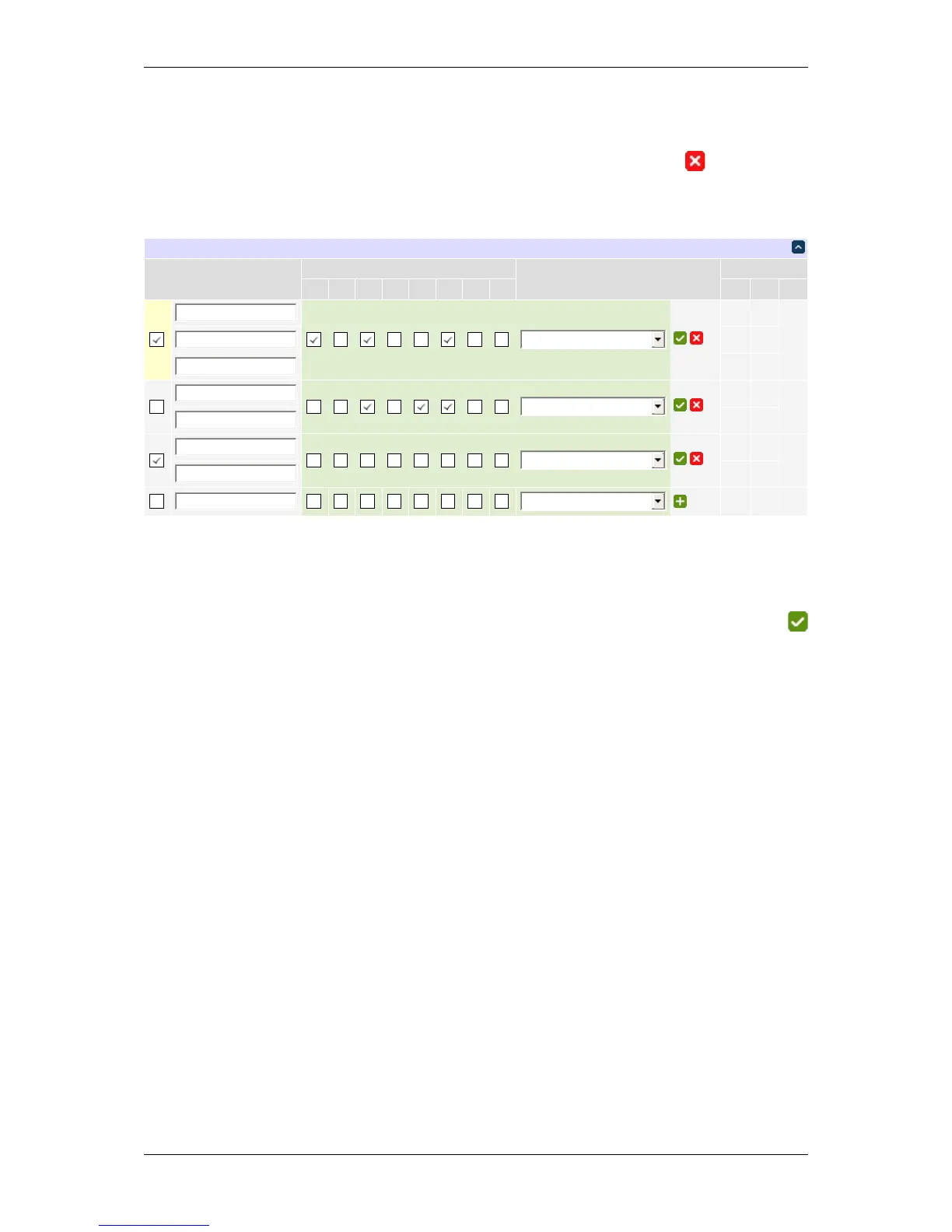
Below is an example autoping configuration with four targets:
Individual AutoPing settings
The checkbox to the left of the IP address is used to start/stop target monitoring. Confirm your action with
button. This button is also used to link a list of relays or a script line to the autoping target.
You can select the relays to perform trigger action on by ticking their respective checkboxes.
You can select a scripting action to perform when the AutoPing item triggers (by default the selected relays are
cycled). The action must be a function defined in the scripting server. It will receive a table of the 1-based indices
of relays selected (e.g. {1,3,6}). The order of relays in the table is unspecified; use table.sort in the script
function if you rely on a particular order.
The stats column shows some statistics:
• TX — the number of pings sent to the target IP address;
• RX — the number of pongs received back so far;
• HIT — the number of times the trigger action was executed.
On the sample image, three targets are being monitored (74.125.87.103, 67.122.199.250, and 192.168.0.93).
192.168.0.93 seems to be a very reliable/well-connected device: 823 pings were sent to it and 822 pongs received
back. Chances are very good, the 823rd pong will arrive soon. The reboot task (script function toggle_stuff←-
_and_log) was never executed.
Looks like 192.168.0.92 failed hard. The task (cycle relays 3,5,6) was executed 5 times in a row but the target did
not respond. Monitoring was automatically disabled.
74.125.87.103 and 67.122.199.250 form a group, the trigger task will be performed if they both lose 5 sequential
packets simultaneously. This has happened 2 times so far. Monitoring a group of several external spatially separated
reliable IP addresses (in this example they belong to Google and Digital Loggers respectively) may become very
useful to detect a stuck ADSL modem or some other no-Internet condition.
DLI DIN4 User’s Guide: 20170809T111540Z



 To Next Page