Using the Smart Life App
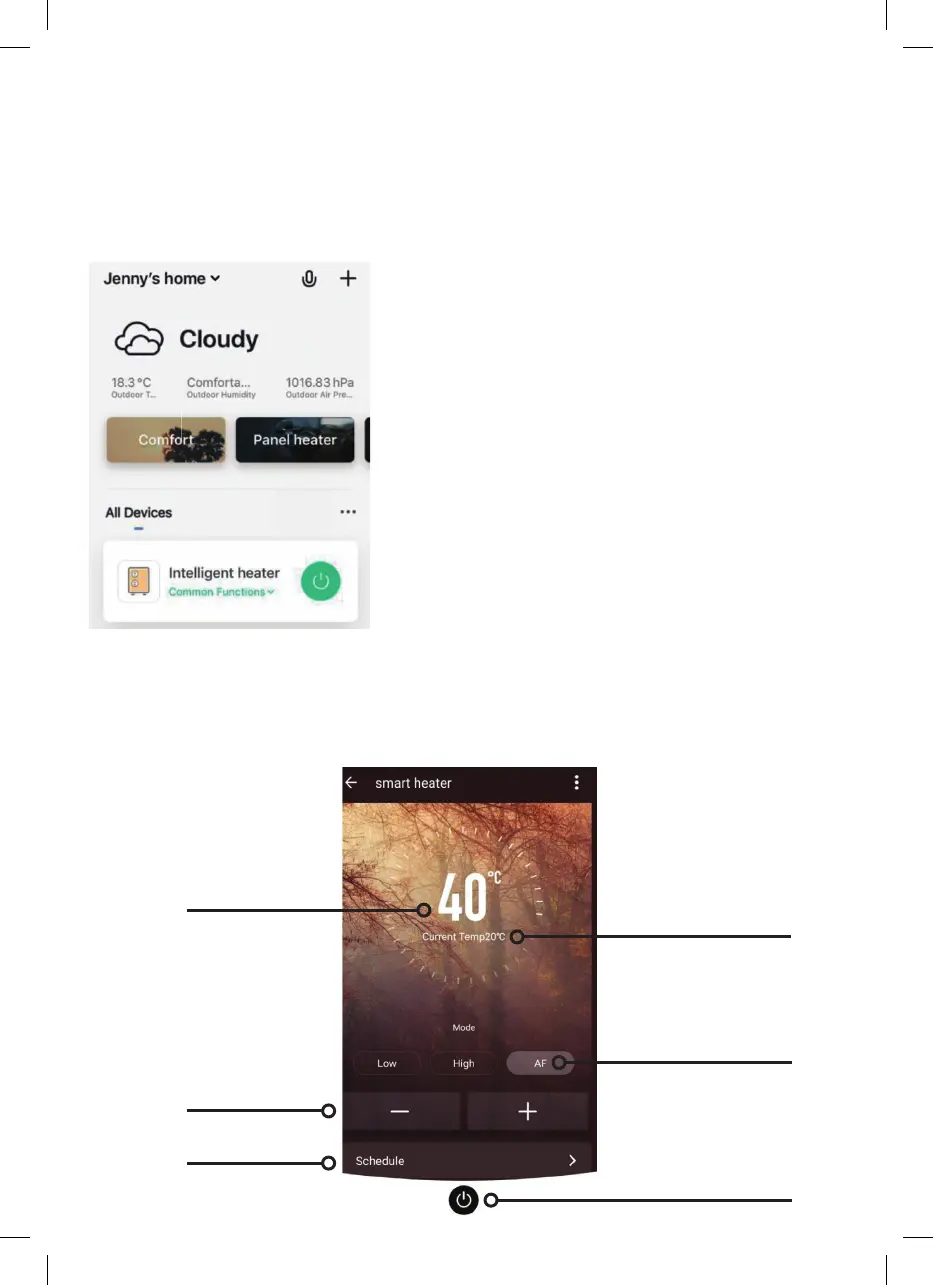
You can use the app to control multiple devices. The status of your devices is shown on
the device list:
•
Offline (device is turned off at the wall or rocker switch)
•
Turned Off (the device is in standby mode).
•
Turned On (the device is in heating mode).
Controlling the Heater
You can change the heater’s current mode by tapping the mode buttons. You can adjust
the mode’s temperature using the + and – buttons when you’re in that mode.
When the heater is online, tap the device name
to go to the control interface.
Please Note: When the heater is offline, you will
not be able to control it with the app.
Temperature
Adjust
Programming
Set
Temperature
Select
Mode
ON/OFF
Current
Temperature


 To Next Page