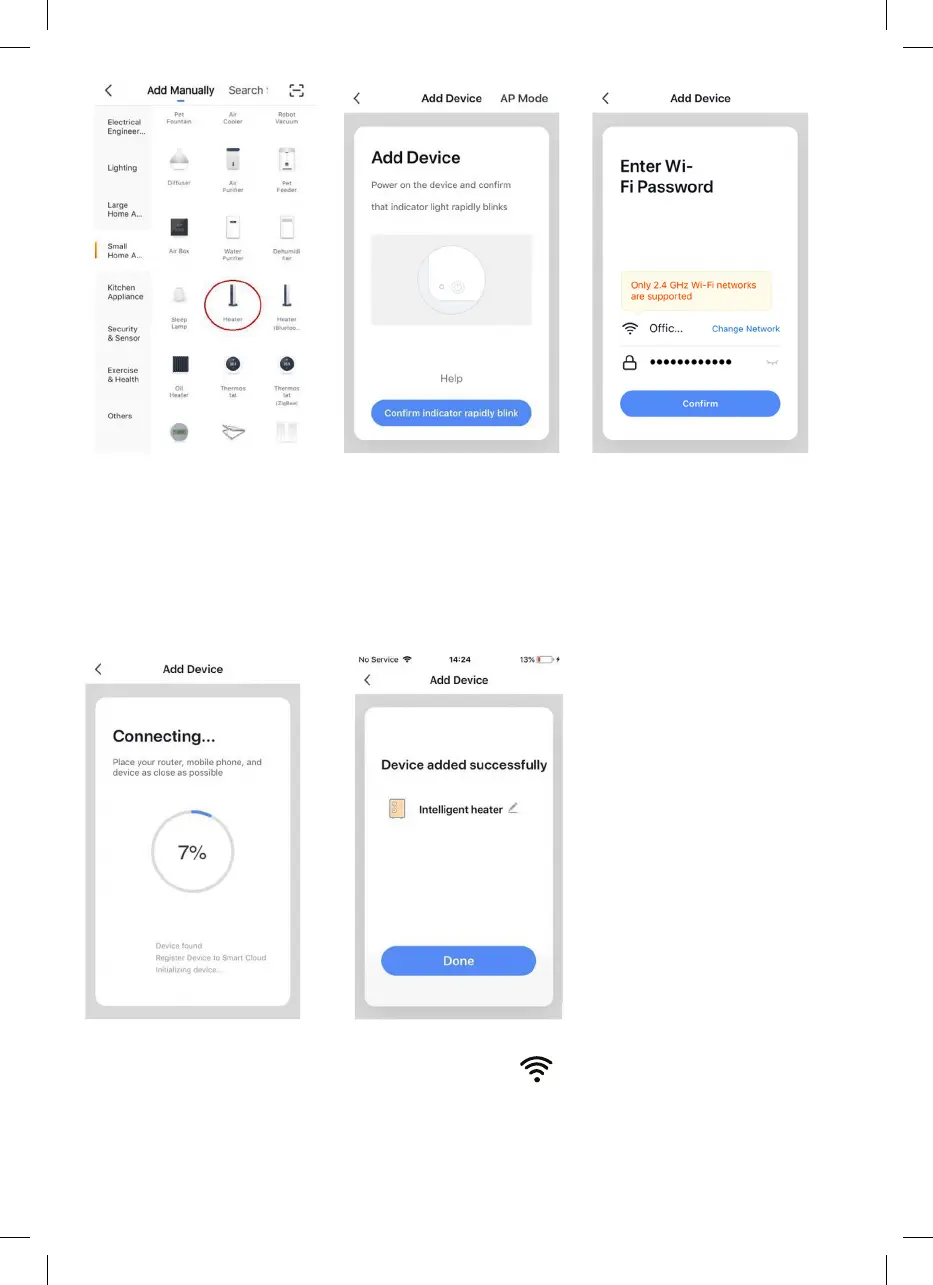
5. The app will then display its connecting screen.
PLEASE NOTE: If the heater is failing to connect, press and hold the
button for three more seconds. It will then switch to its secondary
connection mode. The heater has two connection modes: one where the
icon flashes slowly (once per second) and one where the icon flashes fast
(three times per second). Most devices will connect in fast-flashing mode.
6. The heater will beep and display a solid
icon when the device is
connected.
The app will confirm that the heater has been added. You can now name
the device, share it with family members, or proceed to scheduling your
heating.


 To Next Page