(No.HD003<Rev.004>)1-15
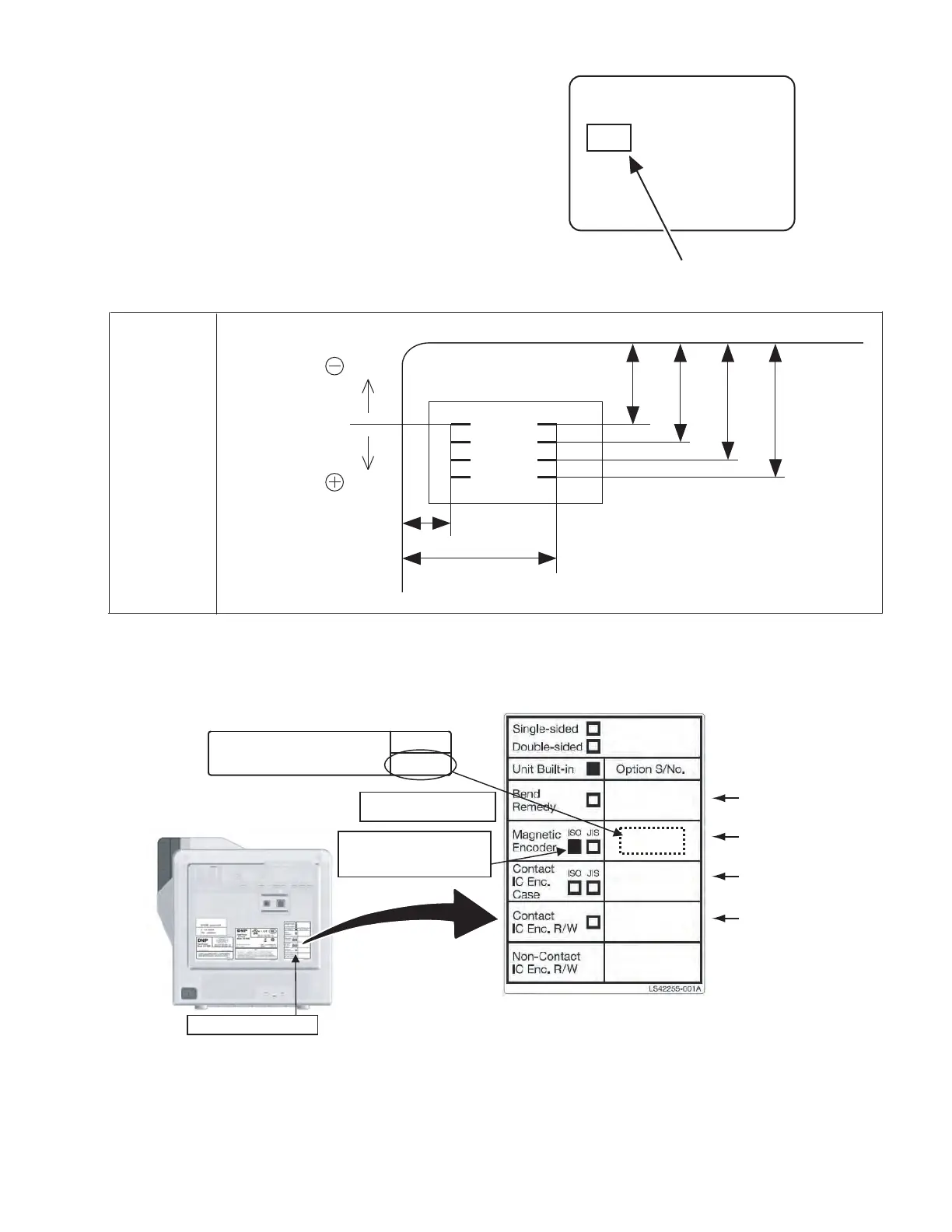
2.6.1 IC contact position adjustment
Apply a contact label (part number: KXL46372-001) on the IC
chip of a contact IC card.
Select the IC contact test from “off line test” in the service mode
to perform the test.
After the test, measure the IC contact position mark on the con-
tact label using a vernier caliper to check if the position stays
within the specs.
If the position does not stay within the specs, correct the position
in the “OffsetContact” mode in the service mode.
When the position is corrected, turn off the power and turn it on
again before testing the IC contact.
2.6.2 Optional installed label
When installing optional unit after shipping from GPI, mark corresponding column of option built-in label and stick model label attached
with optional unit to secure traceability.
Contact label
(part number:KXL46372-001)
direction
direction
c
a
b
d e f
IC contact
position specs
(Specs)
a : 10.45 ~ 12.05 mm
b : 18.07 ~ 19.67 mm
c : 19.23 ~ 20.93 mm
d : 21.77 ~ 23.47 mm
e : 24.31 ~ 26.01 mm
f : 26.85 ~ 28.55 mm
Model label attached with option
(ex. CF-7MGS)
Optional installed label
Mark corresponding
column
For CF-7BR
For CF-7MGS
For CF-7CCS
For CF-7CRW
Stick model label
Installed option label
Rear side
CF-7MGS
CF-7MGS
CF-7MGS
Magnetic Encoder (ISO)
xxxxxxxx
xxxxxxxx
NOTE)This option must be installed, following procedures
in the Service Manual , by a trained and skilled installer in
a facility. Stick the small label on the printer rear after
installation of this option unit.



 To Next Page