Insert the included CD into the disc drive.
Open Windows Explorer, and then click the corresponding drive.
If AutoPlay is enabled, a message appears stating “Tap to choose what happens with this disk”.
Click the message and select “Open folder to view files Windows Explorer”.
If AutoPlay is enabled in Windows 7, select “Open folder to view files using Windows Explorer”.
If AutoPlay is enabled in Windows 8, a message appears stating “Tap to choose what happens with this
disk”. Click the message and select “Open folder to view files Windows Explorer”
Select one of the following folders on the included CD. *Select the folder for your usage environment.
Windows 7 … CD drive:¥¥DP-DS620_Driver¥7
Windows 8 … CD drive:¥¥DP-DS620_Driver¥8
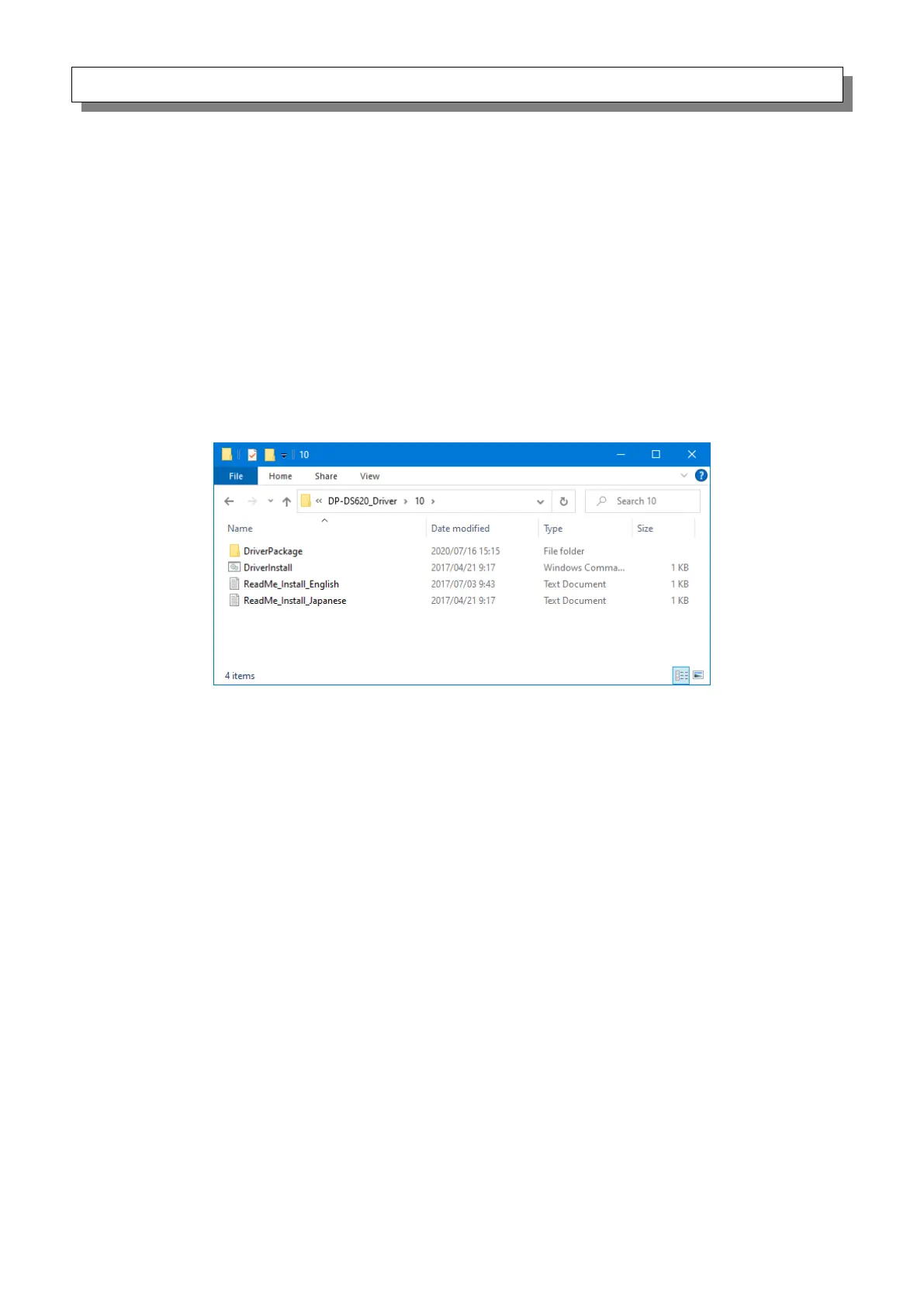
Windows 10 … CD drive:¥¥DP-DS620_Driver¥10
Figure 1.2.1 Driver Package folder


 To Next Page