13
Loading Print Packs
Chapter 2 Preparation
Loading Print Packs
Loading the print cartridge
1
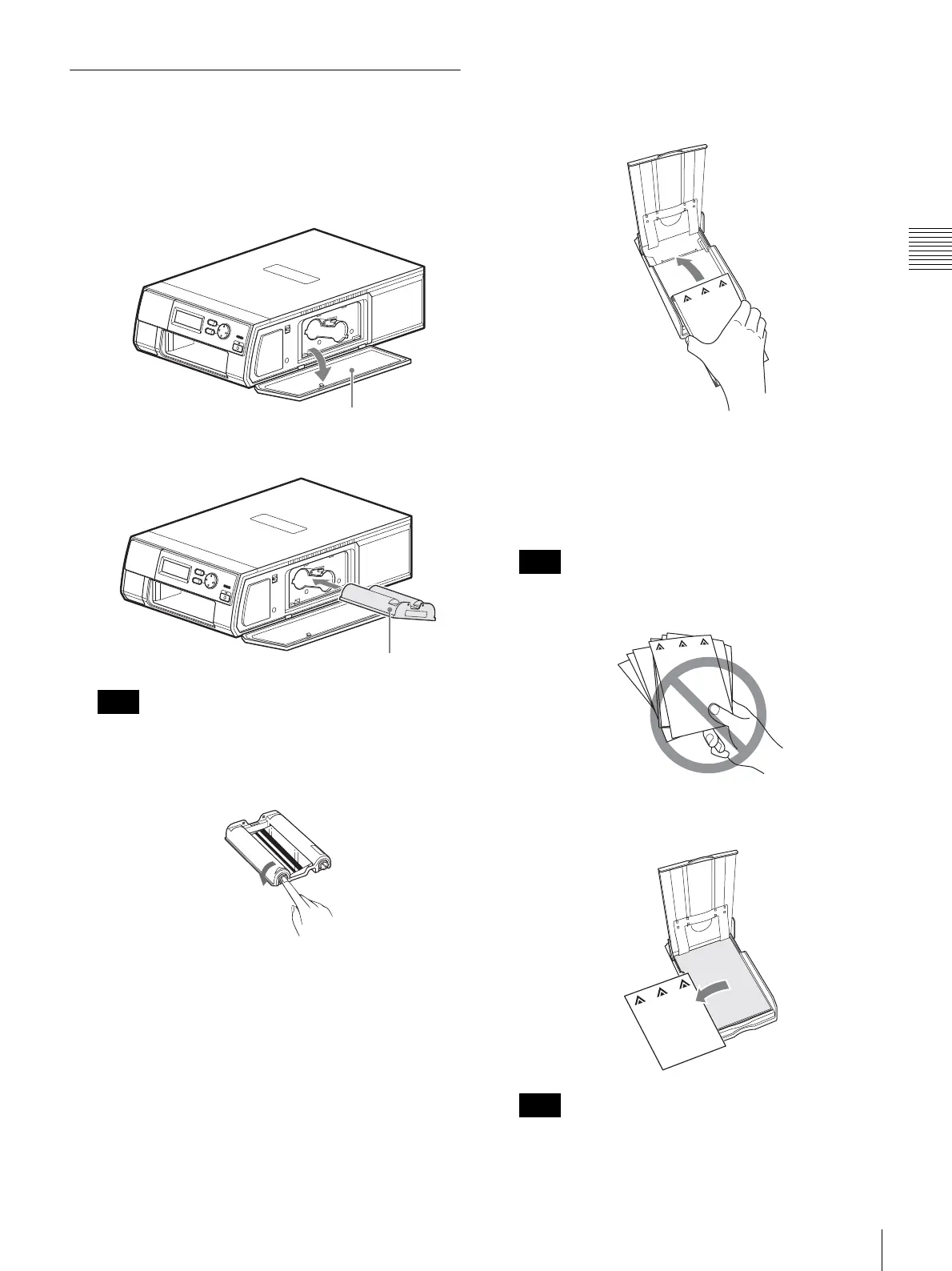
Press the PUSH OPEN area at the top of the cartridge
compartment cover to open it.
2
Insert the print cartridge until it clicks into place.
If the print cartridge does not click into place, remove
it and re-insert it. If the cartridge cannot be loaded due
to ink ribbon slack, wind the spool in the direction of
the arrow while pressing it to remove the slack.
3
Close the cartridge compartment cover.
Inserting the print paper
1
Set the print paper inside the paper tray.
Insert the print paper with the protective sheet facing
up and the arrow on the protective sheet pointing in the
same direction as the arrow on the tray. You can load
25 sheets when using the UPC-X46 print pack, and 30
sheets when using the UPC-X34 print pack.
Handle the print paper carefully as it can easily
become disjointed.
2
Remove the protective sheet on top of the print paper
stack.
Be sure to keep the protective sheet, as it is used for
cleaning the inside of the printer.
Note
Cartridge compartment cover
Print cartridge
Note
Note



 To Next Page