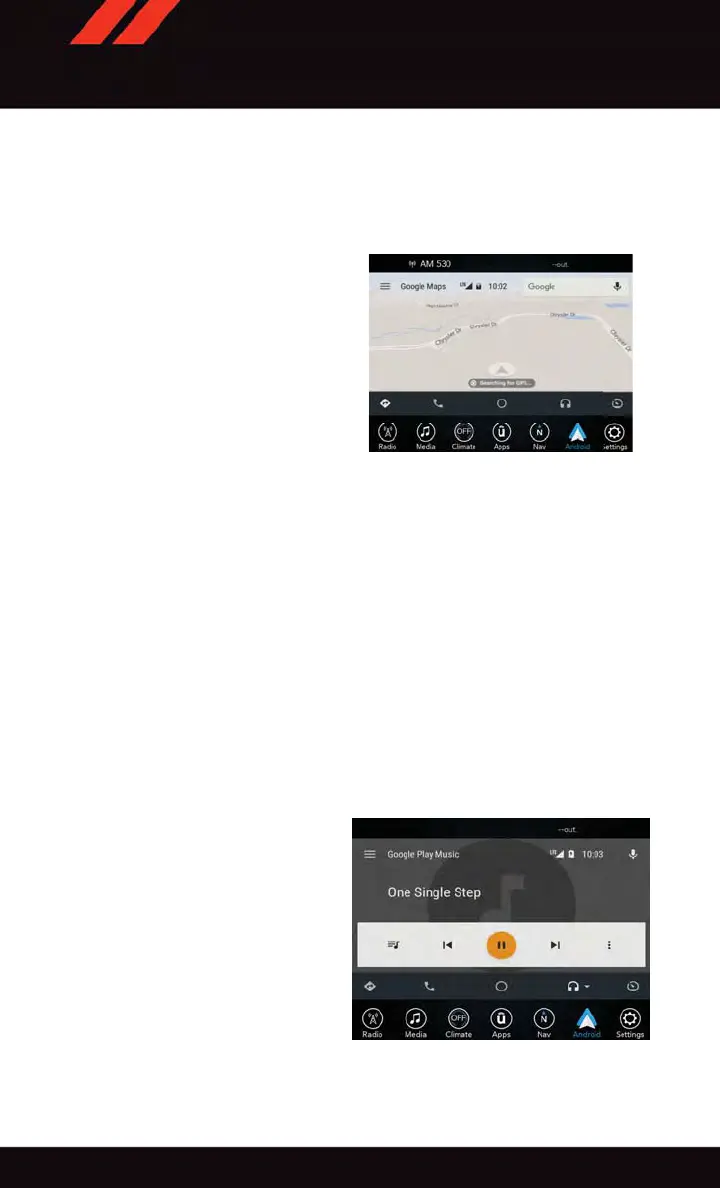
While using Android Auto, Google Maps provides voice-guided:
• Navigation
• Live traffic information
• Lane guidance
NOTE:
If you are using the native Uconnect navi-
gation system, and you try and start a new
route using the Android Auto, via voice or
any other method, a pop-up will appear
asking if you would like to switch from
Uconnect navigation to smartphone naviga-
tion. A pop-up will also appear , asking if
you’d like to switch, if Android Auto is
currently in use and you attempt to launch a
native Uconnect route. Selecting “Yes” will
switch the navigation type to the newly used
method of navigation and a route will be planned for the new destination. If “No” is
selected the navigation type will remain unchanged.
For further information, refer to www .android.com/auto/.
For further information on the navigation function, please refer to
https://support.google.com/android or https://support.google.com/androidauto/.
Music
Android Auto allows you to access and stream your favorite music with apps like Google
Play Music, iHeartRadio, and Spotify. Using your smartphone’ s data plan, you can stream
endless music on the road.
NOTE:
Music apps, playlists, and stations must be set up on your smartphone prior to using
Android Auto, for them to work with Android Auto.
NOTE:
To see the metadata for the music playing
through Android Auto, select the Uconnect
System’s media screen.
For further information refer to
https://support.google.com/androidauto.
Google Maps
Android Auto Music
ELECTRONICS
130













 To Next Page