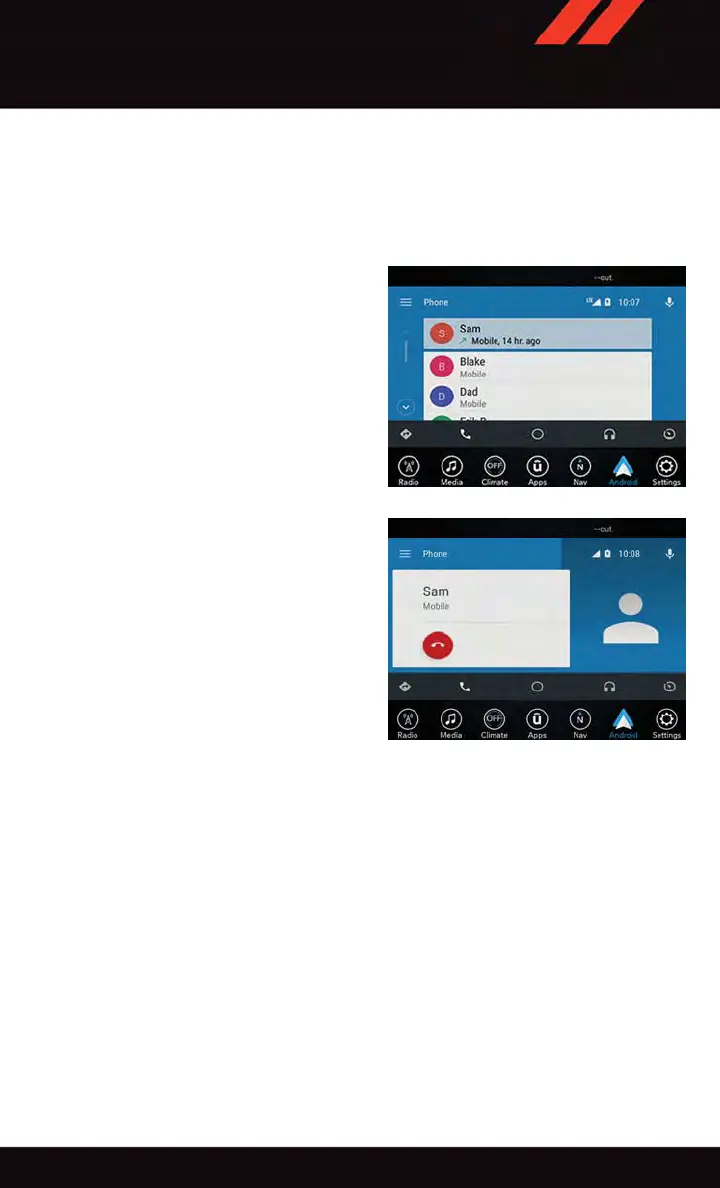
Communication
With Android Auto connected, press and hold the VR button on the steering wheel to
activate voice recognition specific to the Android Auto. This will allow you to send and
reply to text messages, have incoming text messages read out loud, and place and receive
hands-free calls.
Apps
The Android Auto App will display all the compatible apps that are available to use with
Android Auto, every time it is launched. Y ou must have the compatible app downloaded,
and you must be signed in to the app for it to work with Android Auto. Refer to
g.co/androidauto to see the latest list of available apps for Android Auto.
Android Auto Contact
Android Auto Phone
ELECTRONICS
131












 To Next Page